





USB Charging Connector 101: USB-A, USB-C, Micro-USB Explained
USB Charging Connector choice is no longer a small hardware detail. It shapes how fast a product charges, how stable data transfers feel, and whether users trust the connection day after day. For beginners, USB looks simple on the outside, yet confusing in practice. The connector shape does not always tell you the speed. A familiar cable does not always mean the same power level. In this guide, Hanxia explains USB-A, USB-C, and Micro-USB in a clean learning order, so you can match the right interface to your device category, your customer expectations, and your long-term product plan.
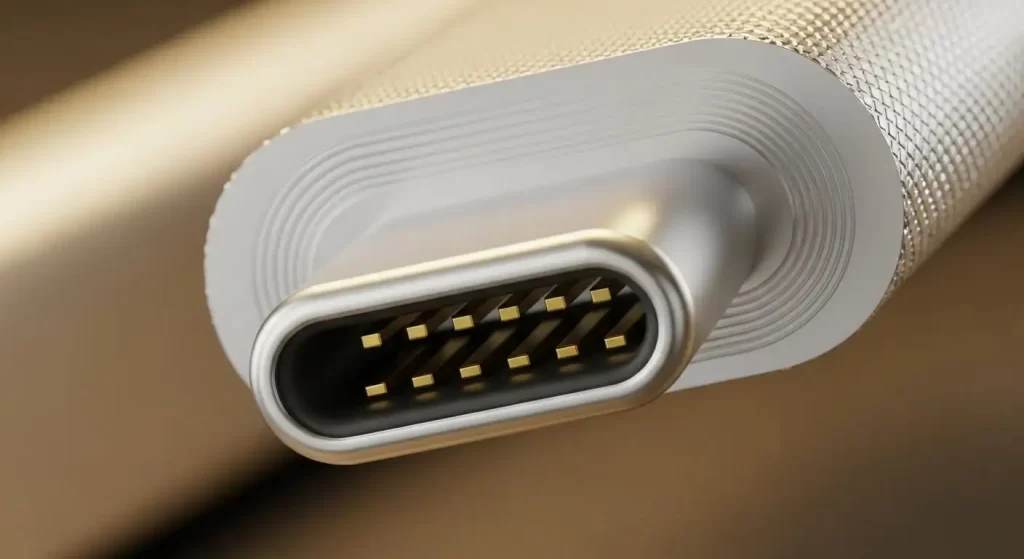
1) USB Charging Connector Basics: What You Are Actually Buying
A USB Charging Connector is the physical “handshake point” between a device and a power or data source. It does two jobs at once: it carries electrical power and it carries communication signals. When that interface is well designed, charging feels consistent and data transfer stays steady. When it is not, users experience the problems that create support tickets and returns: loose connections, intermittent charging, or a drive that disconnects during a file copy.
This is why connector engineering matters even for entry-level products. A connector is touched hundreds or thousands of times over a device’s life. Small mechanical issues become large customer complaints. At Hanxia, we build USB connectors for real environments, not only ideal lab setups. That means we focus on three practical outcomes: strong signal integrity, secure mechanical retention, and durable contact performance. If those foundations are stable, your device behaves like it was designed to behave, even after repeated use.
2) USB-A: The Familiar Standard That Still Solves Real Problems
The classic rectangular port is still everywhere—computers, chargers, hubs, and accessories. It’s cost-effective, easy to understand, and works with an extensive base of cables and adapters. For product and sourcing teams, it’s sensible when targeting office hardware, older PCs, or devices not needing high-power charging. In many categories, USB-A still supports a clean “plug and work” experience.
Here is what a well-built USB Charging Connector in USB-A format typically delivers in real projects:
✓ Broad compatibility with common adapters and cables
✓ Smooth integration for chargers, hubs, and general consumer devices
✓ Lower user friction because the interface is widely understood
One beginner note that prevents many mistakes: the USB-A shape does not define the data speed. A USB-A port may be wired for USB 2.0, USB 3.0, or higher, depending on the internal design. The visible port alone cannot guarantee performance. When you plan your product, you must match the connector format with the data standard you intend to support.
3) USB-C: One Port, Higher Expectations, and More Responsibility
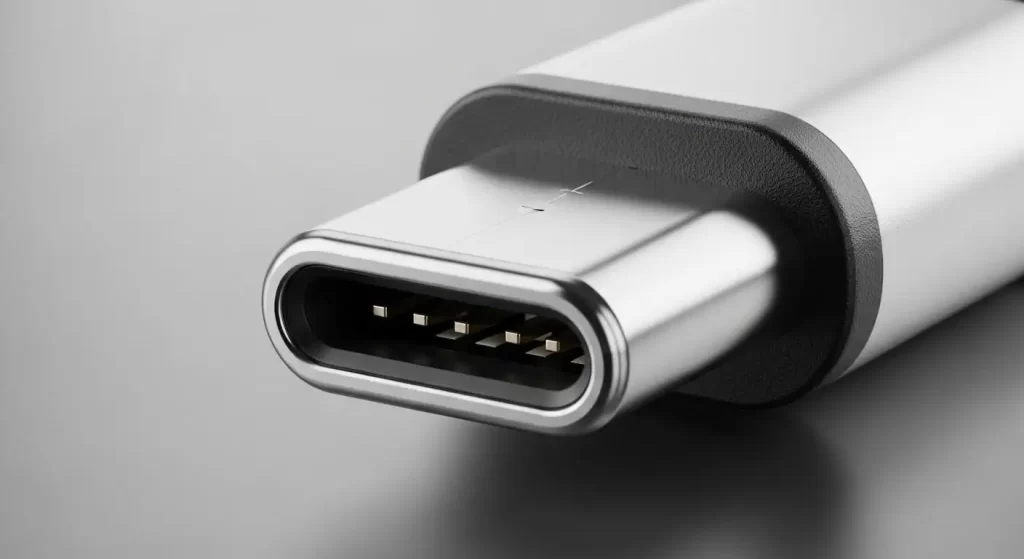
USB Type-C is the modern “one port for many tasks” interface. The design is reversible, which improves usability because users do not need to check orientation. More importantly, USB-C can support advanced power and high-speed data when the full system is designed correctly.
Many buyers move to USB-C because it supports Power Delivery (PD) up to 100W, enabling fast charging for higher-power devices such as laptops, monitors, and docking solutions. USB-C is also linked to high-performance ecosystems, including Thunderbolt 3/4 compatibility in many device categories. These associations shape customer expectations. When a product includes USB-C, users often assume it will charge quickly and transfer data smoothly.
However, USB-C is not “automatically fast.” It is a connector platform. The cable, controller, PCB layout, and connector quality must work together. A premium-looking port cannot compensate for weak mechanical retention or unstable signal performance. That is why a USB Charging Connector in USB-C format should be designed for stable mating, repeatable electrical contact, and consistent performance in compact devices.
Key user-facing benefits that a well-matched USB-C solution supports:
✓ Reversible plug-in that reduces daily frustration
✓ PD up to 100W for fast charging programs
✓ Strong connection stability that helps prevent random disconnects
If your product roadmap includes fewer ports, modern device compatibility, or an upgrade story around fast charging, USB-C is often the first interface to evaluate. The goal is not only to “have Type-C,” but to deliver a Type-C experience that meets what buyers expect the moment they plug in.
4) Micro-USB: Why a Legacy Connector Still Appears in New Designs
Micro-USB is smaller than USB-A and has been widely used in smartphones, power banks, and portable electronics for many years. While many new consumer products have shifted to USB-C, Micro-USB still appears in large volumes because it is cost-effective and supported by many existing accessories.
In certain markets and product tiers, Micro-USB remains a reasonable choice. Entry-level devices may prioritize affordability and compatibility with the cables users already own. Some industrial accessories and long-life products also keep Micro-USB to avoid redesign cycles. The important point is to manage the trade-offs with clear expectations.
For a USB Charging Connector in Micro-USB format, the practical risk is wear over time. Users plug, unplug, twist, and sometimes pull cables at angles. If retention and contact stability are weak, the product may develop “only charges in one position” behavior. That is why mechanical structure and contact durability matter. Hanxia designs Micro-USB connectors with secure structures and durable materials so repeated use does not quickly turn into service issues.
✓ Compact interface for space-limited electronics
✓ Familiar ecosystem in many portable accessory categories
✓ Better long-term stability when retention and contacts are engineered carefully
5) Two Specs Beginners Must Learn First: Data Speed and Power Delivery
Most USB confusion happens because people mix connector type with performance standard. Beginners can simplify decisions by asking two questions.
First: How fast does the data need to move?
USB connectors can be designed to support USB 2.0, USB 3.0, or USB 3.1/3.2, depending on the project’s electrical design. For users, this affects file transfer time, external storage performance, and stable connectivity for audio or communication devices. If your product includes external storage, high-resolution media workflows, or fast peripherals, data standard selection becomes part of your product promise.
Second: How much power must the device deliver or accept?
If fast charging is part of your product story, you need the correct power architecture. USB-C with PD can reach 100W, which expands what devices can do and which markets they can enter. For many product teams, the power requirement is the decision that drives the connector choice.
Real-world performance also depends on protection against noise. In industrial equipment, automotive systems, and medical devices, electromagnetic interference can affect signal stability. Shielding and EMI protection in connector design helps reduce those risks and supports reliable communication where instability is not acceptable. A USB Charging Connector should not only “fit,” but also maintain stable connectivity under real operating conditions.
6) How Hanxia Designs USB Charging Connector Advantages Into Customer Benefits
A connector is small, but it touches the user experience every day. At Hanxia, we translate connector engineering into practical outcomes that help customers build more reliable products, with fewer returns and fewer “random” performance complaints.
• Connection stability: minimizes interruptions from incidental movement.
• Electrical consistency: copper + gold-plated contacts keep performance steady long-term.
• Reinforced materials: withstands vibration, transport, and mixed conditions.
• 100% test coverage: durability, SI, power efficiency—better lot consistency.
• Compact options: right-angle, vertical, ultra-slim to fit tight layouts.
• Full range: USB-A/B/C, Micro-USB, Mini-USB for consumer, industrial, automotive, medical, communications/audio. Hanxia supports OEM customization and scalable supply for distributors and large property projects.
CTA: Build a More Reliable USB Charging Connector Solution With Hanxia
If you are developing a device that needs stable charging and dependable data transfer, contact Hanxia with your application scenario, target power level, and intended data standard (USB 2.0, USB 3.0, or USB 3.1/3.2). We will recommend a USB Charging Connector configuration that fits your layout, supports reliable assembly, and helps your product deliver a clean, dependable connection in real-world use.
