





Tact Switch Accessories: Designing a Better Button Interface
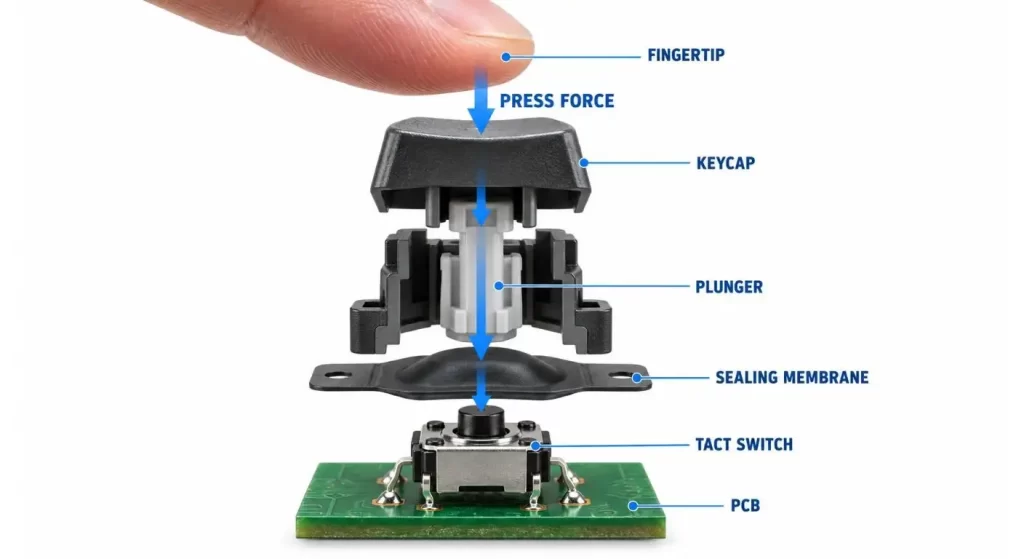
A tact switch is not often used by itself in a completed electronic product. The switch is usually soldered to the PCB; however, the users typically press the keycap, molded button, plunger or flexible membrane that overlies it.
These components tend to be considered as minor accessories. It's basically how they know if the button feels accurate and is correctly aligned and can withstand repeated use. Using an improper cap or actuator may cause a reliable switch to feel "loose, stiff or inconsistent.
The accessory should thus be designed in conjunction with the total button interface and not after the PCB and enclosure have been completed.
What are Tact Switch Accessories?
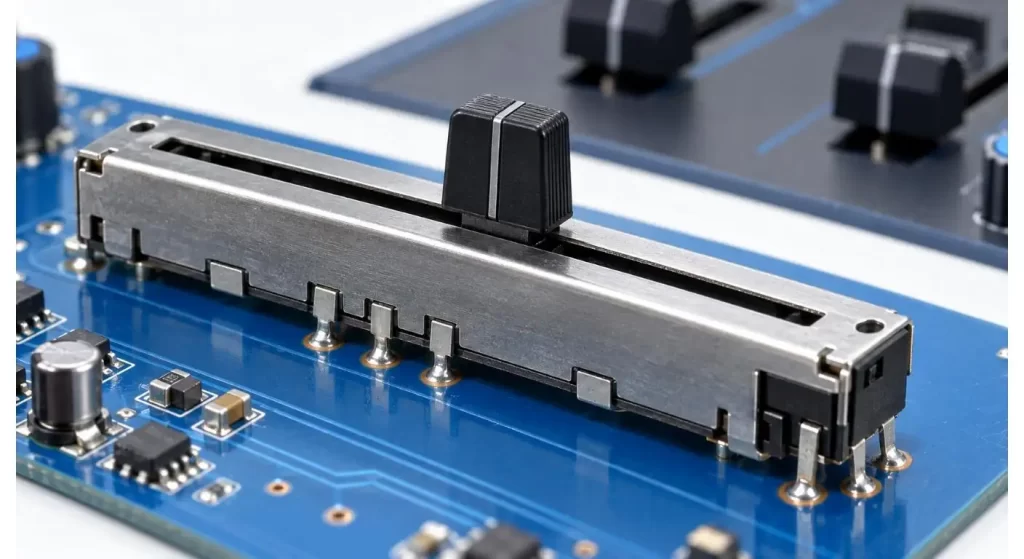
Tact switch accessories are mechanical or optical components used in conjunction with a tactile switch to physically and/or optically interface it with an external product interface. These typically include keycaps, long-stroke actuators, plungers, sealing membranes, dust covers, light guides, mounting spacers and mounting support brackets.
The switch still maintains the electrical contact and snap. The user's force is transferred through the accessory and the accessory affects the way the switch looks or the accessory is used to keep the switch safe from the operating environment.
However, since there are various sizes, heights, operating forces and mounting styles for tact switches, accessories are not necessarily interchangeable, simply because they appear to be the same.
Start from the User's Finger
It is not the cap color or shape that is the first question that is asked about the first design. The way in which the user will use the product.
For a hand-held medical device, a button to press, may be required, which should be clearly separated and easily pressed with one thumb. An appliance panel might need a large surface area or an industrial control might need to be operated with gloves. Low profile and short travel can be essential for small consumer electronic devices.
The external button should be designed to push towards the middle of the Tact switch. When used often by pressing against the edge of the accessory, it may lean to one side or rub on the enclosure or apply a side load on the switch stem.
Use the Switch Stem to match the Cap.
A keycap/actuator cap must fit the shape and size of the switch stem. Even if the switches have the same size and shape on the PCB, round, square and cross shaped interfaces cannot be used interchangeably.
The connection should be strong enough to prevent it from rattling, yet not constantly stress the stem. If the cap is too tight, it can harm the actuator when installing. A loose cap can roll around, fall off or make an irregular sound.
Test to see if it is a press fit or snap fit accessory or if it is bonded or held by the enclosure. The retention method will have impact on assembly time and serviceability.
Using the button and switch, control the distance between them.
The most crucial dimension is from the outside button to the tact switch actuator. Excessive clearance results in lost motion before the switch actually starts to move. An insufficient clearance may overload the switch and result in the switch being accidentally actuated.
Tolerance stack-up is provided by the enclosure, positioning of the PCB, the height of the switch, cap dimensions and assembly technique. A design that is successful in a hand-built sample might not be successful when each component reaches the extreme of its allowable tolerance.
A nominal gap and worst case conditions should be determined prior to tooling. It's typically more helpful to check the prototype when it's in cross section, rather than freehand on a bench.
| Stack Component | Dimension to Control | Risk if Incorrect |
| Enclosure | Button opening and wall thickness | Rubbing or excessive movement |
| External button | Overall and underside height | Lost motion or switch preload |
| Tact switch | Body and actuator height | Inconsistent activation point |
| PCB support | Board position and flatness | Different feel across buttons |
| Assembly gap | Clearance above actuator | Accidental or delayed operation |
Extended Actuators Carefully used with caution.
An extended actuator will pass through the product enclosure or span a large gap between the product surface and the low PCB. It also can decrease the need for a moving button.
But with the taller actuator there is more leverage when pushed from the side. Too much side loading may result in wobble, scratch or damage around the switch stem. A long plunger might then require assistance from the enclosure.
Compare multiple switch altitudes rather than make an automatic long extension. Designers can use Hanxia's product datasheets and downloads to do a body dimension comparison, as well as a comparison of actuator height and mounting details prior to finalizing the mechanical layout.
Sealing Without Losing Tactile Feel
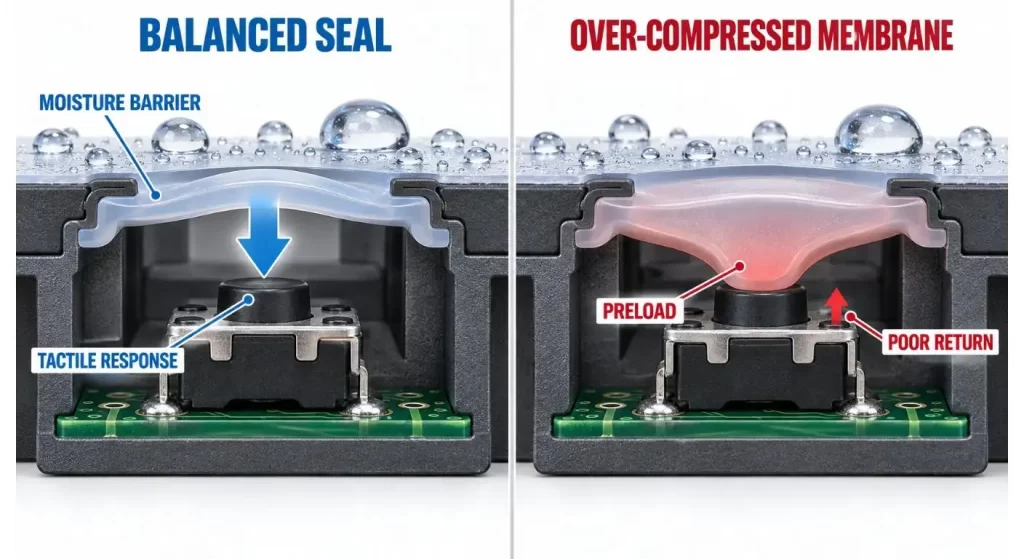
Flexible membranes and coverings boots can decrease dust, moisture or cleaning residue entering. They can be used in appliances, handheld instruments, outdoor controls and equipment that can be easily cleaned on the surface.
This change in the force path is caused by the seal. Too thick or stiff a membrane will make the operation forceful, and decrease the feel. It can also preload the switch, if it is compressed during the product assembly.
At assembly level environmental protection shall be considered. Even if there is a sealed switch below an unsealed enclosure opening it can leak moisture to the PCB.
The plan illumination can be considered as an optical system.
Transparent cap or light guide illuminated tact switches and surrounding PCB LEDs can be used to make the control visible. The evenness of the appearance of the light is dependent on the position, material and surface finish of the optical accessory.
If the light guide is not aligned properly, you may notice a bright spot in the middle of the screen, or dim areas around the sides or light spilling into adjacent buttons. The color of the cap and enclosure will also influence the final product.
Assess lighting in completed housing in both light and dark environments. The objective is to provide a good visual feedback, not just maximum brightness.
Choose Materials for the Operating Environment
Rigid plastic caps can provide a precise response and detailed surface finish. Silicone rubber membranes can be used for sealing and design flexibility, but can reduce the ‘click’ feel. Transparent polycarbonate could be used for light guides, other plastics could be chosen for wear resistance or chemical compatibility.
The material should be able to withstand the temperature, as well as the UV, skin oils and cleaning agents it will encounter. When using disinfectants or cleaners in medical, laboratory or industrial applications, always test the specific disinfectant or cleaner used, not just a generic description of the material.
Larger external controls may also involve designers considering conventional accessories versus full button switch controls.
Create a prototype of the Complete Button Stack.
The correct sample should consist of the product-intent PCB, switch, accessory and enclosure. Measure the actuations at various points on the visible button such as center and edge.
Test force, back travel, noisiness, cap hold and cap alignment. When heat exposure, vibration or cleaning is applicable, repeat the test after such exposure.
Minor alteration in dimensions can make a world of difference in feel. In general, it's more convenient to make changes to the accessory or enclosure at the beginning, before the product is assembled, rather than to an assembled product after tooling.
What to put into a supplier request?
Send the model of the tact switch, PCB layout, drawing of the section of the enclosure, button height required and type of the accessories. Add in expected operating force, environment, illumination requirement and quantity per year.
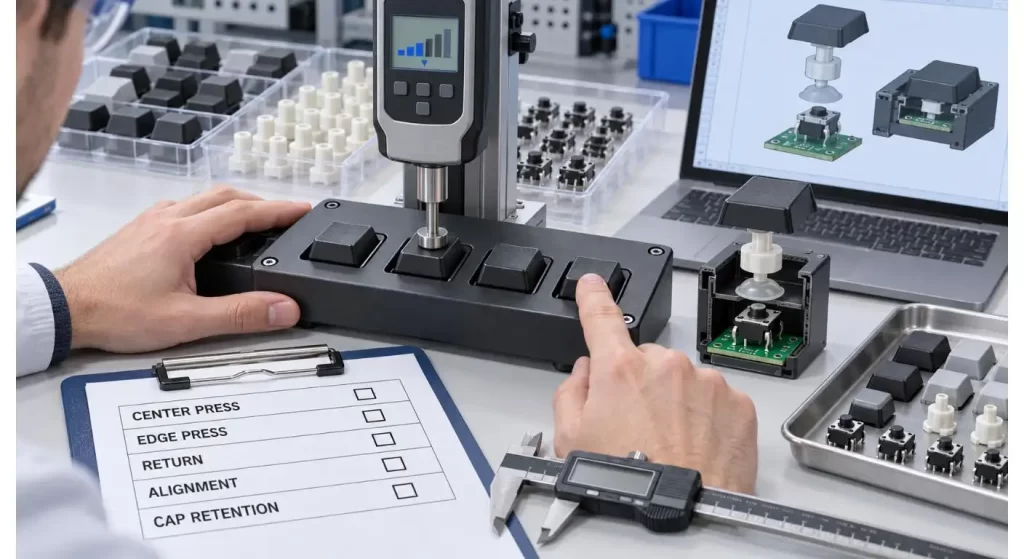
If a custom cap or plunger is desired, use a 3D file with instructions of material, colour, texture and retention to be used. Design should not be approved from a front view drawing only, but a confirmation of dimensional compatibility from the supplier.
If the model is matched, or to custom project evaluation, the buyer can contact Hanxia technical team with complete information of the button-stack.
| Accessory | Main Purpose | Sample Validation |
| Keycap | Larger visible pressing surface | Retention, alignment and wear |
| Extended actuator | Bridges enclosure-to-PCB distance | Side load and return movement |
| Silicone membrane | Sealing and button integration | Force, compression and leakage |
| Dust cover | Limits contaminant entry | Fit and operating resistance |
| Light guide | Transfers LED illumination | Uniformity and light leakage |
| Support bracket | Stabilizes the PCB or button | Position and vibration resistance |
Conclusion
Tact switch accessories are mechanical links between the user and the PCB. The size, type, and motion of the buttons directly impact button feel, button alignment, sealing and long-term reliability.
Best practice is to make the switch, accessory, PCB and enclosure a single stack. It is important to test a complete prototype first, prior to tooling and to keep as a reference for production inspection.
FAQ
Q1. What are the popular accessory attached to the tack switch?
Common accessories are caps, plungers, sealing membranes, dust covers, light guides and mounting supports. The right option is based on product interface.
Q2. Does the cap fit to different models of Tact switch?
Not always. Even if they seem to have the same PCB footprints, the different stem shape, actuator height and external dimensions are available.
Q3. Does silicone membrane affect the operating force?
Yes. Thickness, hardness and compression of membrane can enhance or diminish tactile response and increase force. Try it out with the real switch and enclosure.
Q4. When will an extended actuator be necessary?
It can be beneficial if the PCB is located significantly lower than the top of the outside control surface. When using long actuators, it may be necessary to guide them to avoid them tilting or side loading.
Q5. Are accessories available to make a tact switch waterproof?
They can be enhanced for sealing, however, full enclosure and PCB assembly is required for protection. Test the developed interface—not just the component.
