





Why Tact Switches Stop Responding: 4 Common Failures & Fixes
Why does a tactile switch stop working? In 90% of cases, the culprit is contact oxidation (increasing electrical resistance), mechanical dome fatigue (loss of the "click"), or flux contamination from improper soldering.
While these switches are rated for thousands of cycles, they are not sealed against the environment. Over time, dust, moisture, and even invisible chemical vapors create an insulating layer between the metal dome and the contact pad. This forces you to press harder to break through the grime—until eventually, the switch stops reading entirely.
1. The "Hard Press" Syndrome (Contact Oxidation)
The most common symptom of a failing tact switch is that it still clicks, but you have to press it with excessive force to get a response.
The Invisible Barrier
Tact switches rely on a metal dome collapsing to touch two contact pads. If the switch is used in a humid environment, a thin layer of oxide forms on these silver-plated contacts.
- The Result: The switch mechanically closes, but the electrical resistance is too high (e.g., >100Ω instead of <1Ω) for the microcontroller to register a "LOW" signal.
- The Fix: A temporary fix is to apply advanced troubleshooting and repair techniques like injecting DeoxIT D5 to chemically dissolve the oxide. However, for a permanent solution, replacement is required.
2. The "Mushy" Button (Mechanical Dome Fatigue)
If the distinct "snap" or "click" is gone, the failure is mechanical, not electrical.
Metal Fatigue
The metal snap dome is a spring. Like any spring, it has an elastic limit. If users habitually press the button too hard (a common issue with remote controls or game controllers), the dome permanently deforms.
- Diagnosis: The button feels soft or "mushy" and may stay stuck down.
- Resolution: This is irreversible. No amount of cleaning will restore the spring tension. You must replace the component.
- See our guide: How to fix a tact switch that isn't clicking
3. The "Ghost" Input (Signal Bounce & Chatter)
Does a single press register as a double-click? Or does the device act erratically? This is "Switch Bounce."
The Microscopic Bounce
When the metal dome hits the contacts, it doesn't just land perfectly; it bounces microscopically for milliseconds. A fast microcontroller reads these bounces as multiple rapid inputs.
- Why it gets worse: As the switch ages, the spring weakens, causing more bounce.
- The Fix: This often overlaps with intermittent DIP switch signal issues. You can mitigate it by adding a capacitor (hardware debounce) or increasing the delay in your firmware (software debounce).
4. The "New Build" Failure (Flux Contamination)
If a brand-new switch fails immediately after assembly, the culprit is almost certainly flux.
The Vacuum Effect
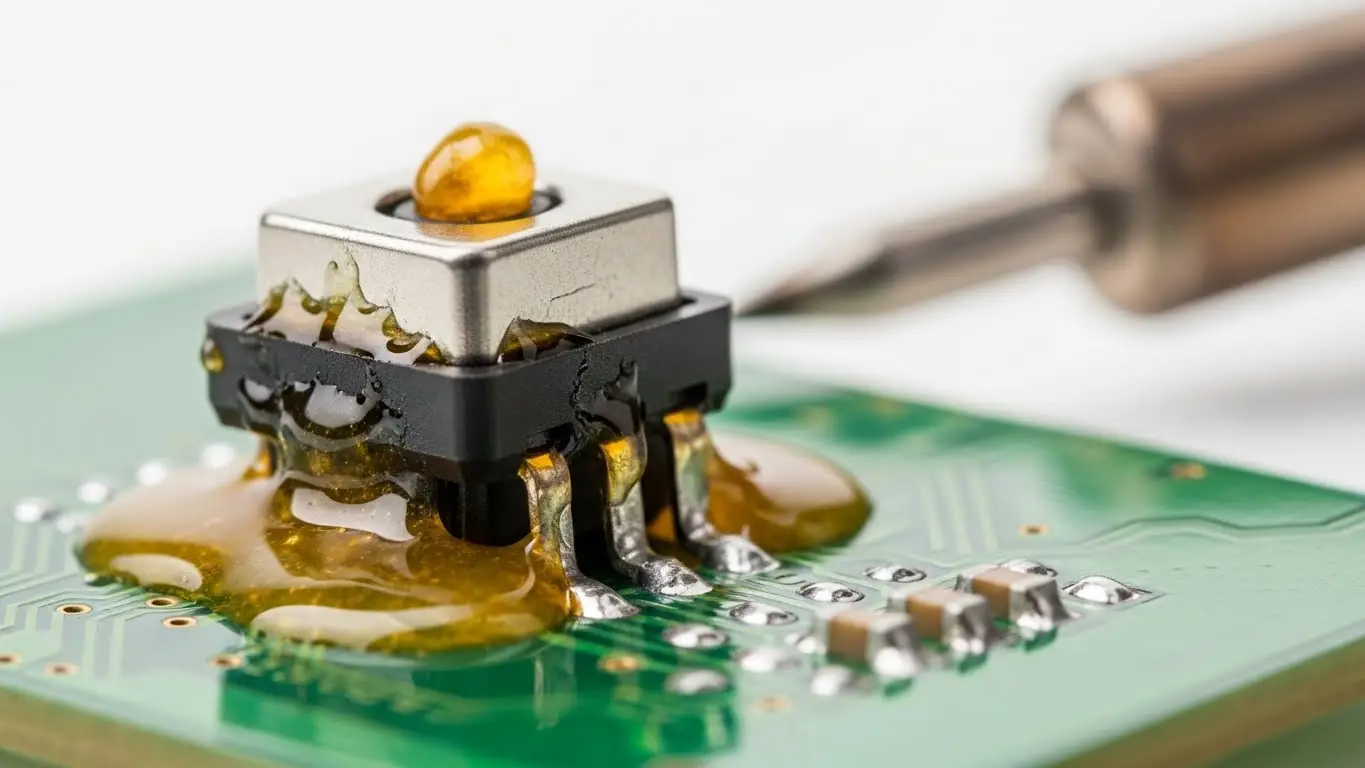
During soldering, the air inside the switch heats up and expands. As the switch cools down, the air contracts, creating a vacuum. If there is liquid flux remaining on the PCB, it gets sucked inside the switch housing.
- The Consequence: The flux dries into a hard, insulating varnish directly on the contact point.
- Prevention: Use "No-Clean" flux sparingly and never wash unsealed switches with solvents that can wash debris inside.
5. The Silent Killer: Silicone Contamination
A lesser-known but fatal enemy of tactile switches is silicone. If you use silicone oil, grease, or spray near a switch, silicone vapors can migrate inside. During arcing (when the switch opens/closes), the silicone turns into Silicon Dioxide—effectively glass. This forms a hard, insulating coating that is impossible to clean.
Troubleshooting Decision Matrix
| Symptom | Probable Cause | Recommended Action |
| No Click / Mushy | Dome Fatigue | Replace (Mechanical damage) |
| Hard Press Required | Oxidation | Clean (DeoxIT) or Replace |
| Double Clicks | Switch Bounce | Debounce (Software/Capacitor) |
| New Switch Fails | Flux Ingress | Replace (Cleaning rarely works) |
| Random "Ghost" Press | Silver Migration | Replace & Seal PCB |
Frequently Asked Questions
A: No. Standard WD-40 is not a contact cleaner; it leaves an oily residue that attracts dust and ruins the switch mechanism. Use a specialized electronic contact cleaner like DeoxIT or BW-100.
A: This indicates either a cold solder joint (cracked solder) or severe internal pitting of the contacts. In either case, the connection is unreliable and should be repaired.
A: Yes. Gold does not oxidize like silver. For critical applications or harsh environments, paying extra for gold-plated contacts prevents the "Hard Press" oxidation issue.
A: Use a multimeter in "Continuity" mode. Connect probes to the switch legs and press. You should hear a solid beep. If the beep crackles or requires hard pressure, the switch is failing. This is similar to diagnosing DIP switch reading problems.
Key Takeaways
- Check the Feel: A "mushy" switch means the metal dome is broken and must be replaced.
- Check the Force: If you have to press hard, the contacts are oxidized. Cleaning may work temporarily.
- Beware of Flux: Freshly soldered switches that fail have likely sucked in flux during cooling.
- Avoid Silicone: Never use silicone sprays near unsealed electromechanical switches.
Conclusion
Tact switches usually fail due to a battle against their environment—whether it's oxygen tarnish, dust, or chemical vapors. By identifying the specific symptom, you can avoid wasting time on software fixes when the problem is physical common tact switch failure. For mission-critical devices, always opt for sealed (IP67) switches to prevent these issues from the start.
