





What Beginners Should Know About PCB Switches
PCB switches are electromechanical components mounted directly onto a Printed Circuit Board (PCB) to control the flow of electricity within a circuit. They serve two primary functions: accepting user inputs (like pressing a button on a keypad) or configuring hardware settings (like setting a garage door opener frequency).
For beginners, the most important distinction is how they attach to the board: Through-Hole Technology (THT), where pins go through the board for durability, or Surface Mount Device (SMD), where the switch sits on top for space-saving. Choosing the right switch involves balancing physical size, current rating, and the tactile "feel" required for the user experience.
What Are the Most Common Types of PCB Switches?
There are dozens of switch varieties, but if you are designing or repairing electronics, you will primarily encounter three specific categories.
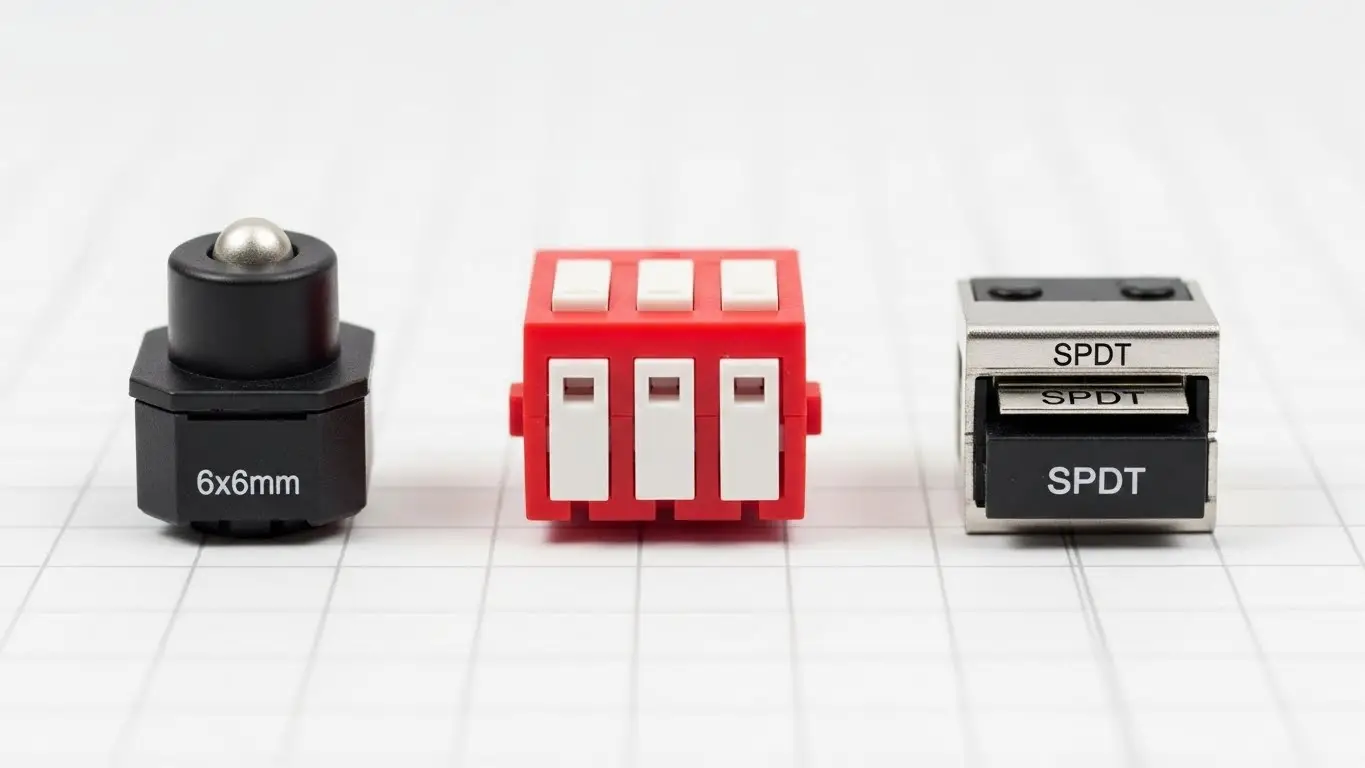
1. Tactile Switches (Tact Switches)
These are the momentary buttons you press to input data. When you press down, the circuit closes; when you let go, it opens. They are defined by their "clicky" feedback. If you are looking for specific details on how these momentary buttons work, read our Introduction to Tact Switches to understand the mechanics of the "click."
2. DIP Switches
DIP (Dual In-line Package) switches are actually a group of small switches in one block. They are not meant for constant clicking. Instead, they are used to "set and forget" specific configurations, like device addresses. For a deep dive on setting these codes correctly, check out our Beginner’s Guide to DIP Switch Configuration.
3. Slide and Toggle Switches
These are latching switches, meaning they stay in the position you leave them in (On or Off). They are commonly used for main power controls.
What Is the Difference Between SMD and Through-Hole Switches?
Through-Hole (THT) switches have metal legs that pass through the PCB and are soldered on the back, offering high mechanical strength. Surface Mount (SMD) switches sit flat on top of the board, saving space and allowing for automated assembly.
When to Use Which?
- Choose Through-Hole if the switch will be abused. For example, a guitar effects pedal or a heavy industrial control panel needs THT because users stomp or mash the buttons. The solder joint goes through the board, making it hard to rip off.
- Choose Surface Mount for modern, compact devices. Your smartphone and remote control use SMD switches because they are tiny and can be placed by robots (pick-and-place machines) very quickly.
Comparison: Tactile vs. DIP vs. Slide
To help you select the right component, here is a quick breakdown of their primary uses:
| Feature | Tactile Switch | DIP Switch | Slide Switch |
| Action | Momentary (Spring back) | Latching (Stays put) | Latching (Stays put) |
| Primary Use | User Input / Reset | Configuration / ID | Power On/Off |
| Durability | High (100k+ cycles) | Low (1k - 5k cycles) | Medium (10k+ cycles) |
| Typical Size | 6x6mm (Standard) | Depends on positions | Varies |
How Do I Choose the Right Switch for Harsh Environments?
To select a switch for harsh environments, you must look for an IP rating (Ingress Protection), specifically IP67 or higher, which guarantees protection against dust and temporary water submersion. Standard switches are open to the air and will fail if exposed to moisture or heavy dust.
Why Environment Matters
If you are building a device for a clean office, a standard cheap switch is fine. However, if your PCB is going into a factory or outdoor sensor, you need ruggedized components.
Standard switches rely on metal contacts touching. If dust gets between them, the switch fails. If water gets in, it shorts out. For detailed advice on selecting components that withstand vibration, temperature, and moisture, refer to our Industrial Switches Comprehensive Guide.
What Does "Actuation Force" Mean?
Actuation force is the amount of physical pressure (measured in grams-force, gf) required to trigger the switch. A low actuation force (100gf) feels soft and light, while a high actuation force (260gf+) feels stiff and snappy.
Finding the "Sweet Spot"
- Soft (100-160gf): Good for rapid typing or data entry where fatigue is a concern.
- Heavy (260gf+): Essential for safety buttons or automotive controls where you want to prevent accidental presses.
Frequently Asked Questions
Yes, you can solder both Through-Hole and Surface Mount switches by hand. However, THT is much easier for beginners. SMD requires fine-point tweezers and a steady hand.
Life cycle refers to how many times a switch can be pressed before it fails. A standard tact switch usually lasts between 100,000 and 1 million cycles. A DIP switch, meant for rare adjustments, may only last 3,000 cycles.
Switch bounce happens when the metal contacts vibrate as they close, creating multiple false signals. This is fixed using a capacitor (hardware) or a code delay (software debouncing).
Most simple mechanical switches (tact, slide) do not have polarity—it doesn't matter which way the current flows. However, illuminated switches with built-in LEDs do have polarity and must be installed correctly.
Key Takeaways
- Identify the Function: Use Tact switches for input, DIP switches for settings, and Slide switches for power.
- Check the Mounting: Use Through-Hole (THT) for strength and Surface Mount (SMD) for saving space.
- Read the Specs: Pay attention to Actuation Force (how hard to press) and IP Rating (water/dust proofing).
- Environment First: If the device goes outside or in a factory, use sealed switches to prevent failure.
Conclusion
Understanding PCB switches is the first step toward building reliable electronics. By matching the switch type to your specific application—whether it's a "clicky" interface or a rugged industrial control—you ensure your project works every time the button is pressed.
If you are ready to dive deeper into specific switch technologies, start by exploring the mechanics of user input in our Introduction to Tact Switches.
