





Tact Switches for Gaming Controllers: The Secret to Pro-Level Precision
Most gamers don't realize that the difference between a "pro" controller and a standard one often comes down to a component smaller than a grain of rice: the tactile switch. While standard controllers rely on mushy conductive rubber membranes, high-performance competitive controllers use mechanical tact switches to deliver instant actuation and unmistakable feedback.
Whether you are looking to install "mouse click" hair triggers to dominate in Call of Duty, repairing a stuck bumper on your Xbox Series X, or designing a custom gamepad from scratch, understanding these electromechanical heroes is the first step. In this guide, we break down the engineering behind mechanical controller mods, the specific switches used by pros, and how to choose the right components for your build.
Why Switch from Membrane to Mechanical?
Standard controllers (like the stock DualSense or Xbox Wireless Controller) use silicone membrane switches. When you press a button, a conductive rubber pad hits the PCB to complete the circuit. It’s cheap and durable, but it feels "soft" and has a long travel distance.
Tact switches change the game by replacing that rubber pad with a metal dome mechanism.
- Speed: Actuation distance drops from ~1.2mm (membrane) to ~0.3mm (tact switch).
- Feedback: You feel a sharp "snap" (tactile bump) exactly when the input registers.
- Reliability: No more "mushy" buttons that leave you wondering if you actually reloaded.
"Mouse Click" Triggers: The Ultimate FPS Mod
The most popular modification for competitive gaming is replacing analog triggers (L2/R2) with "digital tap" or "smart triggers."
How It Works
Stock triggers use a potentiometer or Hall Effect sensor to measure how far you pull the trigger (0% to 100%). This is great for driving games (gas pedal), but terrible for shooters where you just want to fire instantly.
A "Mouse Click" kit replaces that analog sensor with a micro tact switch—often the same ones found in high-end gaming mice. This converts the long trigger pull into a short, instant click.
The Gold Standard Switch: Omron D2LS-21
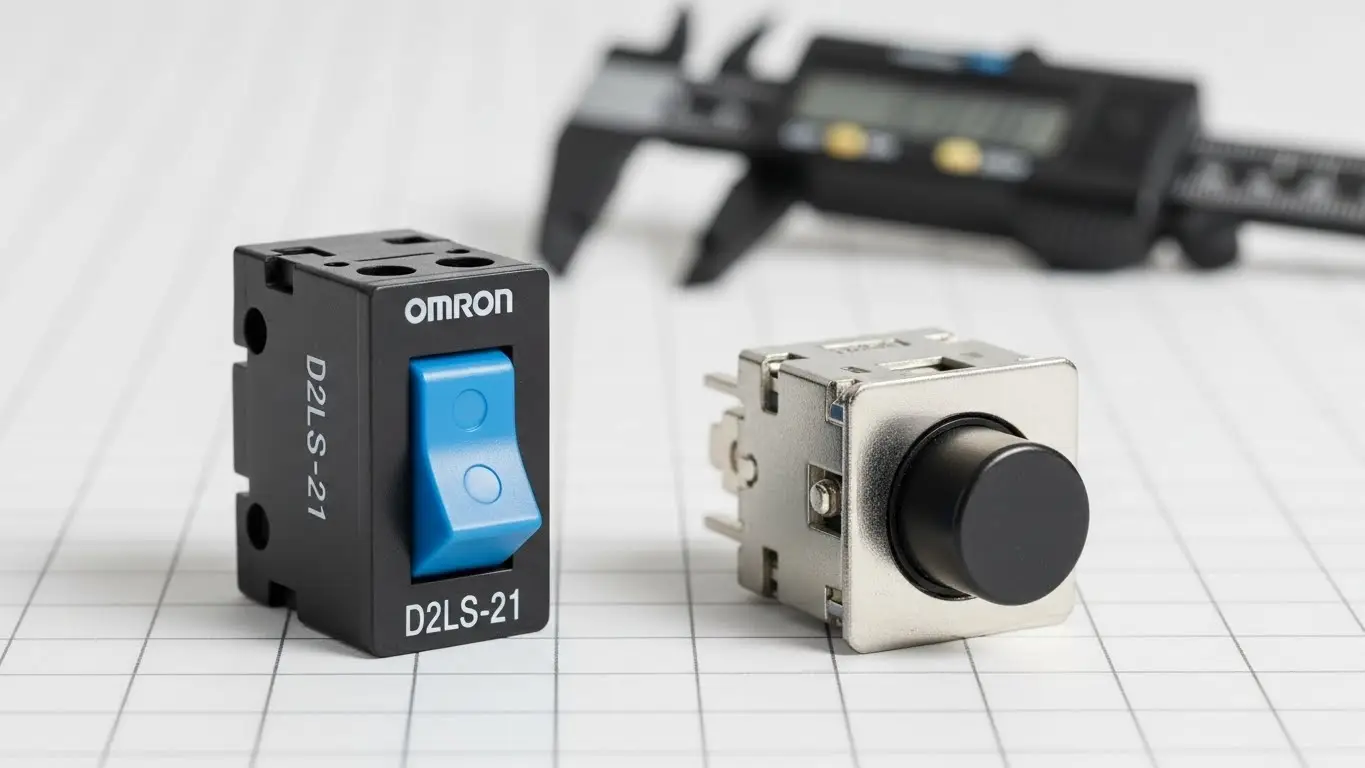
If you buy a high-end custom controller (like a Scuf or Battle Beaver), chances are its triggers are powered by the Omron D2LS-21.
- Actuation Force: 60gf (grams force) – ultra-light for rapid firing.
- Durability: Rated for 5 million cycles.
- Feel: Distinct, crisp click identical to a Logitech G Pro mouse.
For those with a "heavy hand," the Omron D2LS-11 offers a stiffer 120gf resistance, preventing accidental misfires during intense moments.
Face Buttons & Bumpers: Choosing the Right Feel
While triggers get all the glory, upgrading your face buttons (A/B/X/Y) and bumpers (LB/RB) can drastically improve your inputs for fighting games and platformers.
The "Clicky" Face Button Kit
Replacing face buttons usually requires a custom FPC (Flexible Printed Circuit) board that sits over the stock PCB contacts. These kits typically use low-profile metal dome switches.
- Travel Distance: Reduced to ~0.5mm.
- Advantage: "Tekken" and "Street Fighter" players prefer this for faster combo execution.
- Trade-off: You lose the pressure-sensitive "analog" feel of older controllers (like PS2/PS3 era).
Repairing Xbox & PS5 Bumpers
A common failure point on the Xbox Series X controller is the bumper switch (LB/RB). These are typically 6x6x7mm through-hole tactile switches.
- Symptoms of failure: You have to press hard to get it to register, or it double-clicks.
- The Fix: You don't need a whole new controller. Desoldering the old switch and dropping in a generic 6x6mm tact switch (often costing pennies) restores it to factory condition.
Pro Tip: When repairing bumpers, check the "stem" color of the switch. Black stems are usually standard force (160gf), while brown or red stems might indicate lighter operating forces.
Technical Selection Guide: What Matters?
If you are sourcing switches for a DIY repair or a custom project, ignore the marketing fluff and look at these three specs:
1. Actuation Force (Operating Force)
This is how hard you must press to click the switch.
- Light (60gf - 100gf): Best for triggers and rapid-fire inputs. (e.g., Omron D2LS-21).
- Standard (160gf - 200gf): The "stock" feel for bumpers and face buttons. Prevents accidental presses.
- Heavy (250gf+): Used for "System" buttons (Start/Select) where you never want an accidental click.
2. Travel Distance
- Standard Tact: ~0.25mm to 0.4mm.
- Microswitch (Mouse style): ~0.3mm to 0.5mm, but with a sharper "break."
- Membrane (Stock): ~1.0mm to 1.5mm (mushy).
3. Life Cycle
Gaming is abusive. A standard consumer switch rated for 100,000 cycles might last a year in a TV remote, but only a month in a controller. Always look for switches rated for 1,000,000 cycles minimum.
For detailed comparisons on switch durability and specs, refer to our technical switch application notes.
Installation: DIY vs. Pre-Made Kits
Level 1: The "Ribbon Cable" Drop-in Companies like eXtremeRate sell kits that include pre-soldered switches on a ribbon cable. You simply open the controller, remove the old membrane, and paste the new ribbon cable in place. No soldering required.
Level 2: Component Replacement For repairing a specific broken switch (like a shoulder button), you will need a soldering iron.
- Disassemble the controller.
- Desolder the 4 anchor legs of the broken switch.
- Insert the new 6x6mm switch.
- Solder in place.
Warning: Controller PCBs are dense. Use a fine-tip iron and flux to avoid bridging connections.
Frequently Asked Questions
Yes, but the method varies. For older controllers, you often have to hot-glue switches in place and hand-wire them. For modern controllers (PS5/Xbox Series), pre-made "clicky kits" are available that fit perfectly without modification.
No. Mechanical triggers are "digital"—they are either 0% or 100% ON. You lose the ability to hold the gas pedal at 50%. If you play both shooters and racers, consider a controller with "trigger stops" that let you toggle between modes.
This is called "switch bounce." It happens when the metal contacts inside the switch oxidize or wear out. It’s a sign the switch needs to be replaced. For high-reliability environments, consider the advice in our industrial DIP switch guide.
The standard Xbox One and Series X bumper switch is a 6x6mm tactile switch with a varying height (usually around 7mm or right-angle mounted). Always measure your specific defective part before ordering.
Generally, yes. A good mechanical switch is rated for 5-10 million cycles. However, membranes are immune to dust in ways that open mechanical switches aren't. If you eat while gaming, crumbs can kill a mechanical switch faster than a membrane one!
Key Takeaways
- Upgrade for Speed: "Mouse click" triggers reduce reaction time by cutting travel distance by up to 80%.
- Know Your Specs: Look for Omron D2LS-21 (60gf) for triggers and standard 6x6mm tacts (160gf) for bumpers.
- Genre Matters: Mechanical triggers are superior for FPS games but detrimental for racing games due to the loss of analog control.
- Repair, Don't Replace: A $0.50 switch can fix a $70 controller if you have basic soldering skills.
Conclusion
Upgrading to tact switches for gaming controllers is the single most impactful modification you can make for competitive play. It bridges the gap between the comfort of a console controller and the precision of a PC mouse. Whether you buy a pre-modded controller or break out the soldering iron yourself, the crisp snap of a mechanical switch will change the way you play forever.
