





Momentary vs Latching Tact Switches: The Engineering Comparison
Choosing between momentary vs latching tact switches determines the fundamental logic of your device’s interface. While they may share a similar footprint on a PCB, their internal mechanics, lifespan, and intended behaviors are polar opposites. This guide dissects the engineering differences to help you select the correct component.
What Is the Difference Between Momentary and Latching Tact Switches?
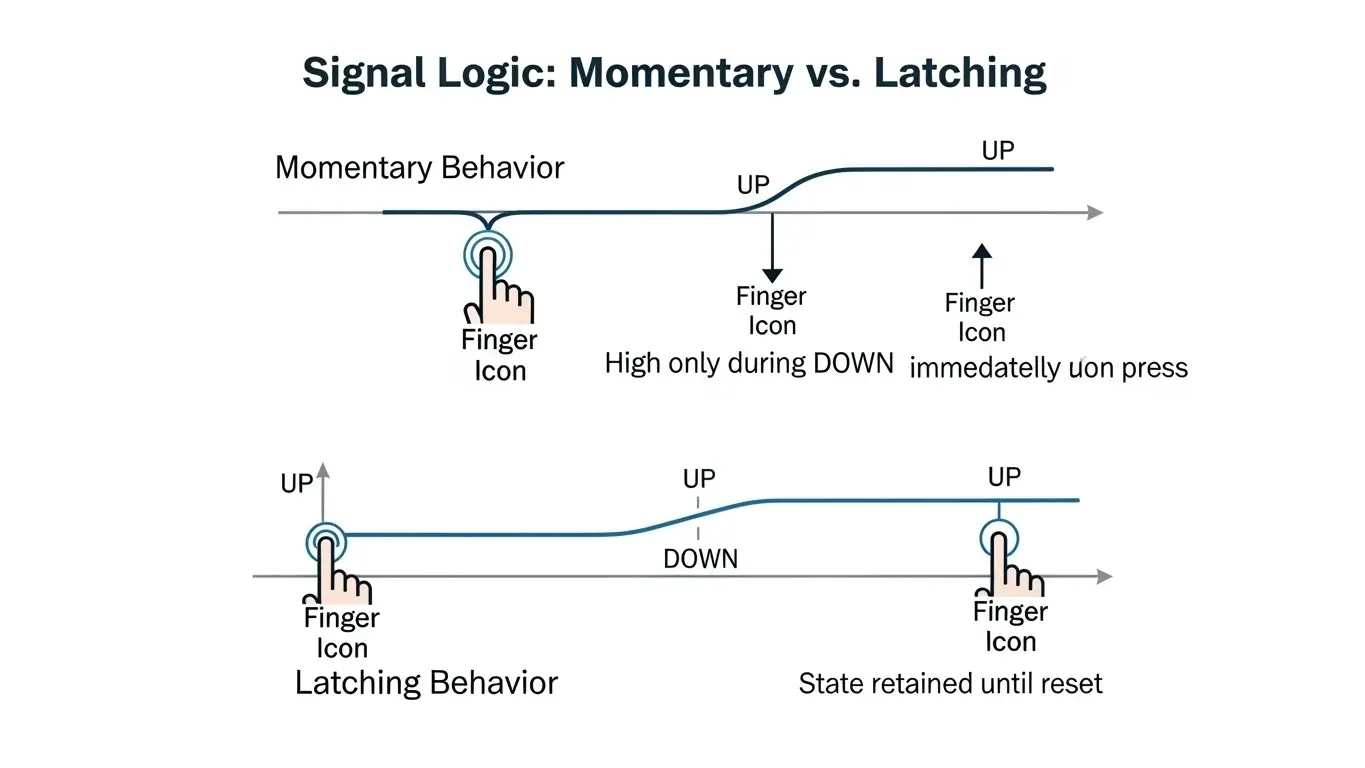
The primary difference is that a momentary tact switch only remains active while pressed, whereas a latching tact switch maintains its state (ON or OFF) after the pressure is released. Momentary switches rely on a simple spring-return mechanism, while latching switches use a mechanical "heart-shaped" cam or ratchet to lock the actuator in place.
- Momentary (Non-Locking): "Press-to-Make, Release-to-Break."
- Latching (Self-Locking): "Press-to-Lock, Press-Again-to-Release."
For engineers, this distinction dictates not just the user experience (UX) but also the circuit design. A momentary switch typically feeds a logic signal to a microcontroller (MCU) which then handles the state change via software. A latching switch can physically maintain a power circuit without software intervention, though it introduces mechanical complexity.
How Do Momentary Tact Switches Work?
Momentary tact switches work by collapsing a conductive metal dome that bridges two contacts only while downward force is applied. Once the user removes their finger, the dome's elastic memory forces it to snap back to its original shape, instantly breaking the circuit.
This mechanism is the industry standard for 95% of modern electronics.
- Rest State: The metal dome is convex, hovering above the contacts. Circuit is OPEN.
- Actuation: Finger pressure flattens the dome. The center touches the PCB. Circuit is CLOSED.
- Release: The finger lifts. The dome springs back. Circuit is OPEN.
Engineer’s Note: In my experience designing control panels, momentary switches are vastly superior for "Dead Man" safety features. If an operator suffers a medical emergency and releases the controls, the machine stops instantly. You cannot achieve this passive safety with a latching switch.
For a deeper look at how this pressure translates into electrical signals, you can read our guide on How Tact Switch Actuation Force Works, which details the physics of the metal dome collapse.
How Do Latching Tact Switches Work?
Latching tact switches (often called self-locking switches) utilize a mechanical track-and-pin system, usually a heart-shaped cam, to physically hold the plunger in the down position. When you press it, a pin slides into a notch, locking the contacts together. A second press dislodges the pin, allowing the return spring to reset the switch.
This is a purely mechanical memory.
- First Push: Plunger travels down $\rightarrow$ Pin tracks into the "V" of the heart cam $\rightarrow$ Locks. (Circuit ON)
- Second Push: Plunger travels slightly deeper $\rightarrow$ Pin is pushed out of the "V" $\rightarrow$ Spring resets. (Circuit OFF)
Because of this complex internal tracking, latching switches in small form factors (like 6x6mm or 7x7mm) often feel "taller" and have a longer travel distance than their momentary counterparts.
Comparison Table: Momentary vs. Latching Specs
Momentary switches generally offer significantly higher cycle life and smaller form factors compared to latching switches. The latching mechanism is prone to mechanical wear, limiting its longevity.
| Feature | Momentary Tact Switch | Latching Tact Switch |
| Circuit State | Active only while holding | Maintains state after release |
| Mechanism | Simple Metal Dome (Spring Return) | Heart-Cam / Ratchet & Spring |
| Typical Lifespan | 100,000 – 10,000,000 cycles | 10,000 – 50,000 cycles |
| Feedback | Sharp, crisp "Click" | Longer travel, often "mushy" latch |
| Common Size | Standard 6x6mm, Low Profile | Often larger (7x7mm, 8x8mm) |
| Debounce req. | Required (Software/Hardware) | Less critical (State held mechanically) |
| Cost | Low | Higher (Complex Assembly) |
When Should You Use a Momentary Switch?
Use a momentary switch for input signals, logic controls, and rapid-fire applications where the device's "brain" (MCU) decides the outcome. They are the standard for keyboards, game controllers, and smart home devices.
- High-Frequency Input: If the button will be pressed thousands of times (e.g., a volume key), the simple mechanism is essential for durability.
- Software Latching: You can simulate a latching behavior using software. A single pulse from a momentary switch can tell the MCU to "turn on the light" and keep it on until the next pulse. This combines the reliability of a momentary switch with the function of a latching one.
- Space Constraints: If you are designing a tight PCB layout, momentary switches offer the lowest profiles available.
To understand how these snap-action behaviors scale up to larger components, check our Micro Switch Deep Dive.
When Should You Use a Latching Switch?
Use a latching switch for direct power control, analog signal routing, or simple circuits that lack a microcontroller. They are ideal for "hard" On/Off switches where you want the device to physically stay On without drawing standby power for logic.
- True Power Isolation: In simple battery-powered devices (like a multimeter or flashlight), a latching switch physically disconnects the battery. No "sleep mode" current is drawn.
- State Indication: The physical position of the button (depressed vs. raised) acts as a visual indicator of the device's state.
- No MCU Required: If you are building a simple analog guitar pedal or a basic lamp, a latching switch handles the logic mechanically, saving you the cost and complexity of adding a chip.
Common Failure Modes: What Breaks First?
Momentary switches typically fail due to contact oxidation or dome fatigue, while latching switches usually suffer from mechanical jamming of the plastic cam.
- The "Stuck Down" Latch: In dusty environments, the grease in the heart-shaped cam of a latching switch can become contaminated. This causes the pin to get stuck in the locked position, preventing the user from turning the device off.
- The "Double Click" Momentary: As we discuss in our Actuation Force Guide, as a metal dome wears out, it may lose its snap ratio, leading to "contact bounce" where one press registers as multiple signals.
Conclusion
The choice between momentary vs latching tact switches is a trade-off between software flexibility and mechanical simplicity.
- Choose Momentary for reliability, high cycle life, and digital interfaces.
- Choose Latching for simple power circuits, analog signal paths, and designs without microcontrollers.
For most modern IoT and consumer electronics, the Momentary switch + Software Logic combination is the superior engineering choice, offering millions of cycles of reliability.
Frequently Asked Questions (FAQ)
Yes, but only if you have a microcontroller (like an Arduino) or a latching relay circuit. You can program the software to "remember" the state: one press toggles a variable to ON, and the next press toggles it to OFF. This is called "soft latching."
Latching switches require physical space for the internal locking mechanism (the spring, track, and locking pin). Momentary switches only need space for the metal dome, allowing them to be much smaller (e.g., 2mm height vs 7mm height).
Yes, but it is often different. A momentary switch has a sharp "snap" from the dome. A latching switch often has a longer travel distance and a "clunkier" feel because you are engaging a mechanical lock, not just collapsing a dome.
For long-term shelf life, a latching switch is better because it can physically cut the battery connection (0 current draw). A momentary switch usually requires a "soft off" mode where the microcontroller sleeps but still draws a tiny amount of power to wait for the next button press.
