





Industrial Switch Comparisons
You can buy a standard Ethernet switch for $30 at an electronics store. You can also buy an industrial-grade switch for ten times that amount. To a procurement manager looking at a spreadsheet, the choice seems obvious—save the money.
But to an automation engineer, that $30 switch represents a ticking time bomb.
In an air-conditioned office, a network glitch means an email sends slowly. On a factory floor, a network failure means the production line stops, data logging ceases, and safety sensors might fail to communicate. We have analyzed countless network failures where the culprit wasn't a complex software bug, but a commercial-grade switch melting inside a hot control cabinet or choking on conductive dust.
At HX-Switch, we understand that reliable connectivity isn't just about connecting wires; it's about guaranteeing uptime in harsh environments. This guide breaks down the critical comparisons you need to make—Commercial vs. Industrial, Managed vs. Unmanaged, and Layer 2 vs. Layer 3—so you can build a network that lasts.
Industrial vs. Commercial Ethernet Switches: The Core Differences
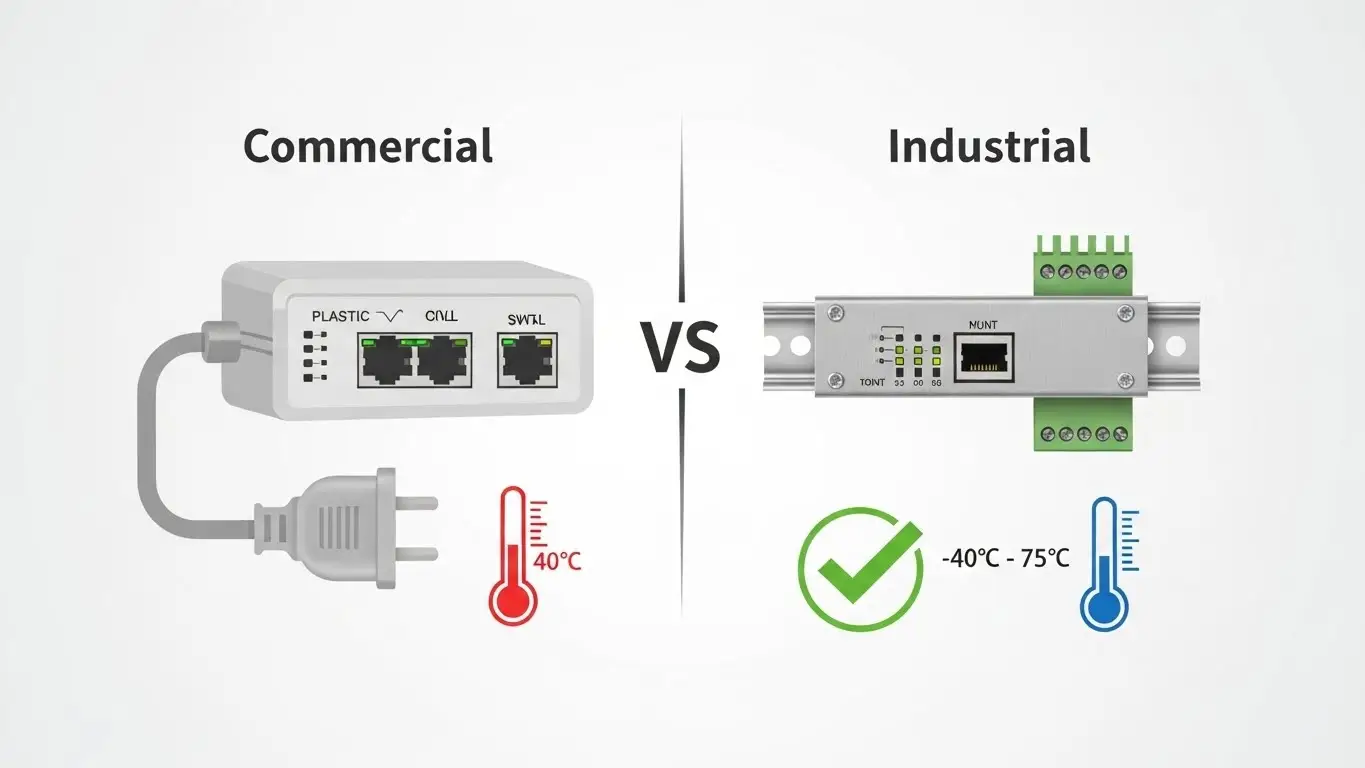
The most common mistake we see in facility networking is the "environment mismatch." It is tempting to use standard IT equipment in OT (Operational Technology) settings, but the hardware architecture is fundamentally different.
Here is why you cannot rely on commercial gear for industrial applications.
1. Temperature Resilience
Commercial switches are designed for climate-controlled server rooms, typically rated for 0°C to 40°C (32°F to 104°F).
Industrial switches, like those we design at HX-Switch, are built for extremes. They typically operate between -40°C to 75°C (-40°F to 167°F). This matters because inside a NEMA enclosure on a sunny day, or near a blast furnace, ambient temperatures can easily exceed 50°C. A commercial switch will trigger its thermal protection and shut down—or worse, its capacitors will degrade, leading to intermittent packet loss that is a nightmare to troubleshoot.
2. Fanless vs. Fan-Cooled Design
Open a standard rackmount switch, and you will see cooling fans. In an office, that’s fine. In a factory, a fan is a vacuum cleaner for trouble. It sucks in moisture, metal shavings, and chemical dust that eventually shorts out the circuit board.
Industrial switches utilize fanless passive cooling. We use the metal casing itself (often ribbed aluminum) as a heat sink. This requires high-grade internal components that can tolerate heat without active airflow, significantly increasing the Mean Time Between Failures (MTBF).
3. Power Redundancy and Input
Commercial switches generally rely on a single AC power supply (the standard wall plug). If that plug vibrates loose or the breaker trips, the network dies.
Industrial switches use dual redundant DC power inputs (typically 12-48V DC) via a terminal block. You can hook up two separate power sources. If Power Supply A fails, Power Supply B takes over instantly without dropping a single data packet. Furthermore, the terminal block connection is screwed down tight, making it immune to the vibrations of nearby heavy machinery.
Managed vs. Unmanaged Industrial Switches
Once you have decided on industrial-grade hardware, the next big decision is control. Do you need a "smart" switch or a simple one?
Unmanaged Switches: The "Plug-and-Play" Solution
An unmanaged switch is a pass-through device. It has no IP address and no configuration interface. You plug devices in, and they talk to each other.
When to use them:
- Edge Connectivity: connecting a small group of sensors or a PLC to a local HMI.
- Simple Networks: Small machine islands where traffic is light and stays within the local loop.
- Budget-Conscious Projects: They are significantly cheaper than managed options.
The limitation? You have no visibility. If a port fails or a cable is cut, the switch won't alert you. You only find out when the machine stops working.
Managed Switches: The Network "Brain"
Managed switches allow you to configure, monitor, and control the traffic on your network. They are essential for any critical infrastructure or large-scale plant network.
Key Features:
- Redundancy (STP/RSTP/ERPS): If a cable is cut, protocols like ERPS (Ethernet Ring Protection Switching) can reroute traffic in milliseconds (often <50ms) using a ring topology. Unmanaged switches cannot do this; a loop in an unmanaged network brings the whole system down.
- Traffic Prioritization (QoS): You can tell the switch that PROFINET or EtherNet/IP control data is more important than video surveillance data. This ensures your robots don't stutter just because someone is downloading a large file.
- VLANs: You can virtually segment the network, keeping IP camera traffic separate from PLC traffic for security and performance.
- Remote Monitoring (SNMP): The switch can send alerts to your SCADA system if a port goes down or temperature spikes.
The Bottom Line: If the cost of network downtime exceeds the cost of the switch, buy a Managed Switch.
Layer 2 vs. Layer 3 Switches: Understanding Routing
As networks converge—meaning the factory floor (OT) connects to the enterprise office (IT)—the distinction between Layer 2 and Layer 3 becomes critical.
Layer 2 (Data Link Layer)
A Layer 2 switch moves data based on MAC addresses. It is fast and efficient but "dumb" regarding the wider network. It works perfectly within a single subnet. If all your devices (PLCs, HMIs, Drives) are on the 192.168.1.x range, a Layer 2 switch is all you need.
Layer 3 (Network Layer)
A Layer 3 switch acts as a router. It moves data based on IP addresses. This is required when devices on different subnets need to talk to each other.
For example, if you want your ERP system (on the office network 10.0.0.x) to pull data directly from a PLC (on the factory network 192.168.1.x), you need a Layer 3 switch to route that traffic across the boundaries. Using Layer 3 switches at the "distribution" layer of your factory network prevents broadcast storms from overwhelming your edge devices.
PoE vs. Non-PoE: Powering the Edge
Power over Ethernet (PoE) simplifies installation by running data and power over the same Cat6 cable. However, in industrial settings, calculating the requirements is tricky.
Understanding the Standards
- PoE (802.3af): Up to 15.4W per port. Good for basic IP phones and simple sensors.
- PoE+ (802.3at): Up to 30W per port. The standard for most modern IP cameras and wireless access points (WAPs).
- PoE++ (802.3bt): Up to 60W or 100W. Required for high-power PTZ cameras (with heaters/motors) or industrial lighting systems.
The "Power Budget" Trap
A common pitfall is looking at the port spec but ignoring the switch's total budget. A switch might have 8 ports rated for 30W (PoE+), but a total power budget of only 120W. You cannot run all 8 ports at full power simultaneously. Always calculate the total wattage of your connected devices and leave a 20% buffer.
How to Choose: A Technical Decision Framework
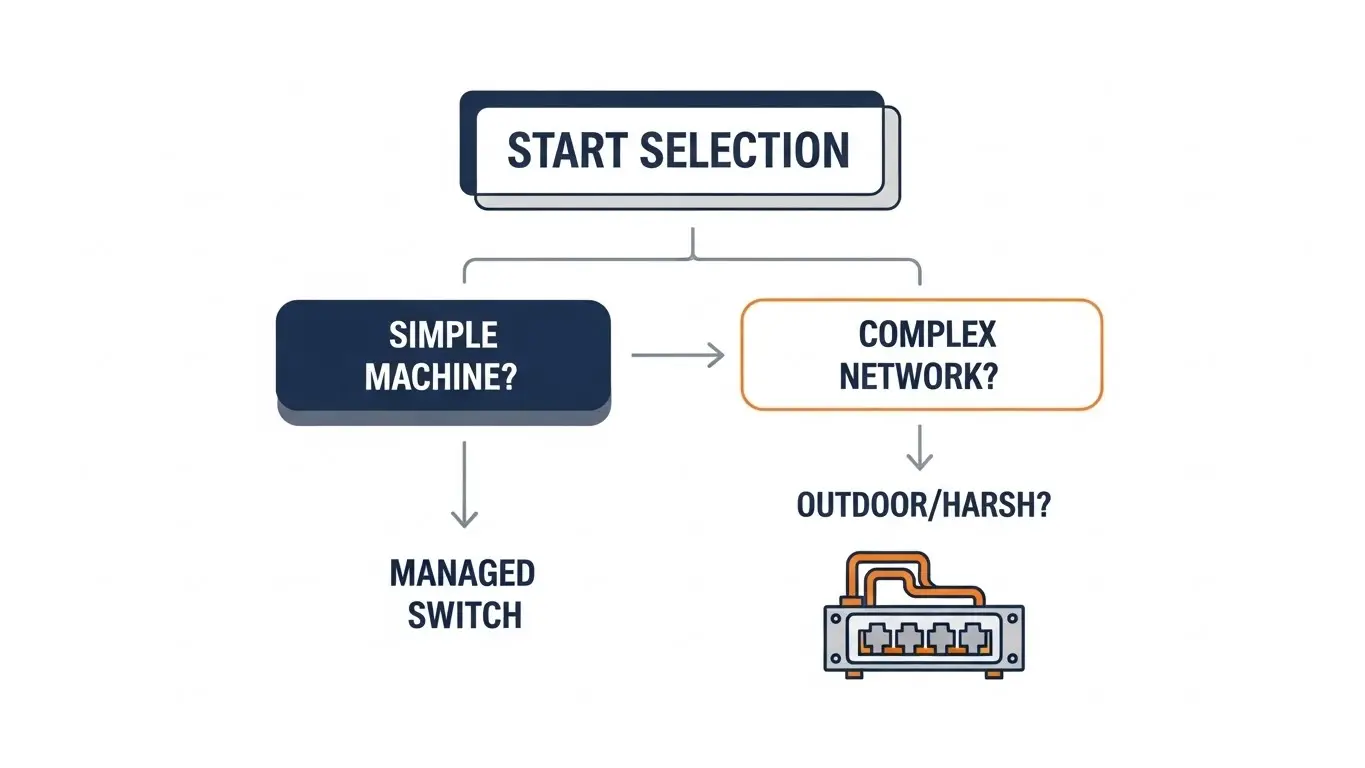
Selecting the right switch isn't about buying the most expensive model; it's about matching the specs to the application. Use this framework to guide your decision for your next HX-Switch deployment.
- Assess the Environment:
- Is there heavy vibration? (Look for M12 connectors or strong DIN-rail mounts).
- Is it outdoors or unconditioned? (Require -40°C to 75°C range).
- Is there electromagnetic interference (EMI)? (Check for high EMC immunity standards).
- Determine Topology & Redundancy:
- Star Topology: Standard switches are fine.
- Ring Topology: Requires Managed switches with redundancy protocols (RSTP/ERPS).
- Calculate Data Load:
- Fast Ethernet (10/100) is often sufficient for simple I/O data.
- Gigabit (1000Base-T) is necessary for video streams and high-speed aggregation.
- Fiber Uplinks (SFP) are required if the cable run exceeds 100 meters or passes through high-noise areas.
Frequently Asked Questions
The cost difference lies in the components. Industrial switches use high-grade capacitors, gold-plated connectors, and rugged metal casings designed to last 10+ years in harsh conditions. You are paying for reliability and a high Mean Time Between Failure (MTBF), protecting you from costly production downtime.
Technically yes, but it is risky. NEMA enclosures often trap heat. A commercial switch rated for 40°C will likely overheat, leading to intermittent failures or total burnout. Additionally, commercial power supplies are prone to failure from the voltage fluctuations common on factory floors.
RJ45 ports use standard copper Ethernet cables, limited to 100 meters distance and susceptible to electrical interference. SFP (Small Form-factor Pluggable) slots accept fiber optic modules. Fiber is immune to electrical noise and can transmit data over kilometers, making it ideal for connecting distant factory halls.
For a simple setup with 2-3 cameras, an unmanaged PoE switch works fine. However, for larger security networks, a managed switch is recommended. It allows you to remotely reboot a frozen camera by toggling the PoE power and use VLANs to secure the video footage from the rest of the network.
This means the switch has two separate places to connect power wires (usually labelled P1 and P2). You connect two different power supplies to the switch. If one power supply dies or a breaker trips, the switch automatically draws from the second source without interrupting the network connection.
ERPS (Ethernet Ring Protection Switching, ITU-T G.8032) is a protocol used in managed switches. It allows switches to be connected in a ring (loop). If the ring is broken (e.g., a cable is cut), ERPS heals the network and finds a new path for data in less than 50 milliseconds, ensuring continuous operation.
Conclusion
The difference between a successful industrial network and a problematic one often comes down to the quality of the switch. While commercial gear might look attractive on a budget sheet, it lacks the armor required for the manufacturing battlefield.
At HX-Switch, we specialize in hardware that bridges the gap between high-speed data and harsh physical realities. Whether you need a simple unmanaged unit for a machine cell or a Layer 3 managed backbone for your entire plant, choosing the right industrial grade ensures that when your production line speeds up, your network keeps pace.
Ready to ruggedize your network? Explore our catalog of industrial Ethernet solutions or contact our engineering team to discuss your specific topology requirements.
