





Illuminated vs Standard Tact Switch: A Definitive Guide for Designers and Engineers
When designing a user interface for any electronic product—from industrial controls to consumer devices—the choice between an illuminated tact switch and a standard (non-illuminated) tact switch is a critical decision.
The core difference is simple: An illuminated tact switch includes an integrated LED (or multiple LEDs) to provide visual feedback, while a standard tact switch only provides the mechanical, momentary contact action and tactile/audible feedback. The illuminated version drastically enhances the user experience by offering crucial visual status (Power ON/OFF, Function Active, Error State), but it introduces complexities in cost, power management, and PCB design that the standard version avoids. Selecting the right one is a design trade-off between usability/visibility and simplicity/cost-efficiency.
Fundamental Differences: Standard vs. Illuminated Tact Switches
Both switch types share the fundamental operation of a momentary tactile switch—a dome mechanism that briefly completes a circuit when pressed and breaks it upon release. The key divergence lies in the addition of visual elements.
Standard (Non-Illuminated) Tact Switch
- Core Function: Provides a temporary electrical connection upon actuation.
- Feedback: Relies solely on tactile (the physical click/feel) and audible (the click sound) feedback.
- Components: Simplest design—cover, plunger, contact dome, and base/terminals.
- Design Focus: Prioritizes miniaturization, low-profile, long mechanical life, and cost savings.
Illuminated Tact Switch
- Core Function: Provides a temporary electrical connection and simultaneous visual status indication.
- Feedback: Adds visual feedback via an integrated LED to the tactile and audible feedback.
- Components: Includes all standard components plus one or more LEDs, often requiring extra terminals (typically 2 for the switch, 2 for the LED).
- Design Focus: Prioritizes user experience, visibility in low-light conditions, and aesthetic design via LED color (single, bi-color, or full RGB).
Illuminated vs. Standard Tact Switch: Head-to-Head Comparison
For a quick reference, the table below highlights the most important functional and design differences.
| Feature | Standard Tact Switch | Illuminated Tact Switch |
| Primary Feedback | Tactile & Audible (The "Click") | Visual (LED) + Tactile & Audible |
| Visual Indication | None | ON/OFF Status, Error State, Mode Selection |
| Pins/Terminals | 2 (SPST) or 4 (stability) | 4-6 total (2 for switch + 2/4 for LED/RGB) |
| PCB Footprint | Smallest, simplest connection | Larger, requires dedicated traces/resistor for LED |
| Power Draw | Negligible (Switch contacts) | Higher (Requires power for the LED) |
| Cost | Lowest per unit | Higher (Switch + LED + Driver Circuit) |
| Life Cycle | High (Often 100K to 1M+ cycles) | Limited by both switch and LED lifespan |
| Best For | Battery-powered, low-cost, internal/unseen functions. | High-visibility interfaces, control panels, safety devices. |
The Core Design Trade-offs: Cost, Power, and Complexity
For engineers and product designers, the choice is ultimately driven by three critical technical factors that extend beyond the switch's purchase price.
Total Cost of Ownership (TCO)
Choosing an illuminated switch increases the true TCO far beyond the component price difference.
- Component Cost: The illuminated switch itself is inherently more expensive than a standard one.
- Auxiliary Components: Every LED requires a current-limiting resistor to prevent burnout. Bi-color and RGB LEDs may require multiple resistors and a more complex LED driver IC or microcontroller management.
- Assembly Cost: More pins require more complex soldering, potential for more inspection points, and a slightly higher chance of manufacturing defects in the wave or reflow soldering process.
💡 Expert Insight: If your design is highly cost-sensitive and the function is obvious or internal (e.g., a simple power-on reset switch), the standard tact switch is the clear winner. For deeper cost analysis on similar components, see our guide on DIP Switch vs Toggle Switch Comparison.
Power Consumption and Thermal Management
In battery-powered or ultra-low-power devices, the LED is the single biggest consumer of standby current.
- Current Draw: A typical tact switch has a near-zero current draw when open and minimal during actuation. A common red or green LED, however, can draw $10 \text{mA}$ to $20 \text{mA}$. For devices with multiple illuminated buttons, this draw adds up quickly, severely impacting battery life.
- Thermal Management: While less of an issue for a single LED, in dense applications with several illuminated switches, the combined heat from the LEDs and their current-limiting resistors must be considered. Excessive heat can affect the longevity of nearby components or even the switch itself.
PCB Footprint and Circuitry Implications
Illuminated switches demand more precious space on a Printed Circuit Board (PCB).
- More Terminals: A standard tact switch can be a simple 2-pin connection. An illuminated version requires a minimum of 4 pins (Switch Common/NO + LED Anode/Cathode). RGB models require 6 pins (Switch + 3 Anodes/Cathodes).
- Dedicated Traces: The LED circuit requires dedicated traces for power and ground, running a separate path from the switch contacts. It also needs the space for the necessary current-limiting resistor, which often cannot be placed directly under the switch body.
- Sealed Variants: If your application requires protection against dust or moisture, both types are available in sealed versions. However, integrating illumination into a sealed body adds to the manufacturing complexity and may slightly compromise the ingress protection (IP) rating. Learn more about this in our article: Sealed vs Waterproof Tact Switch.
Where to Use Which Switch: Application Guide
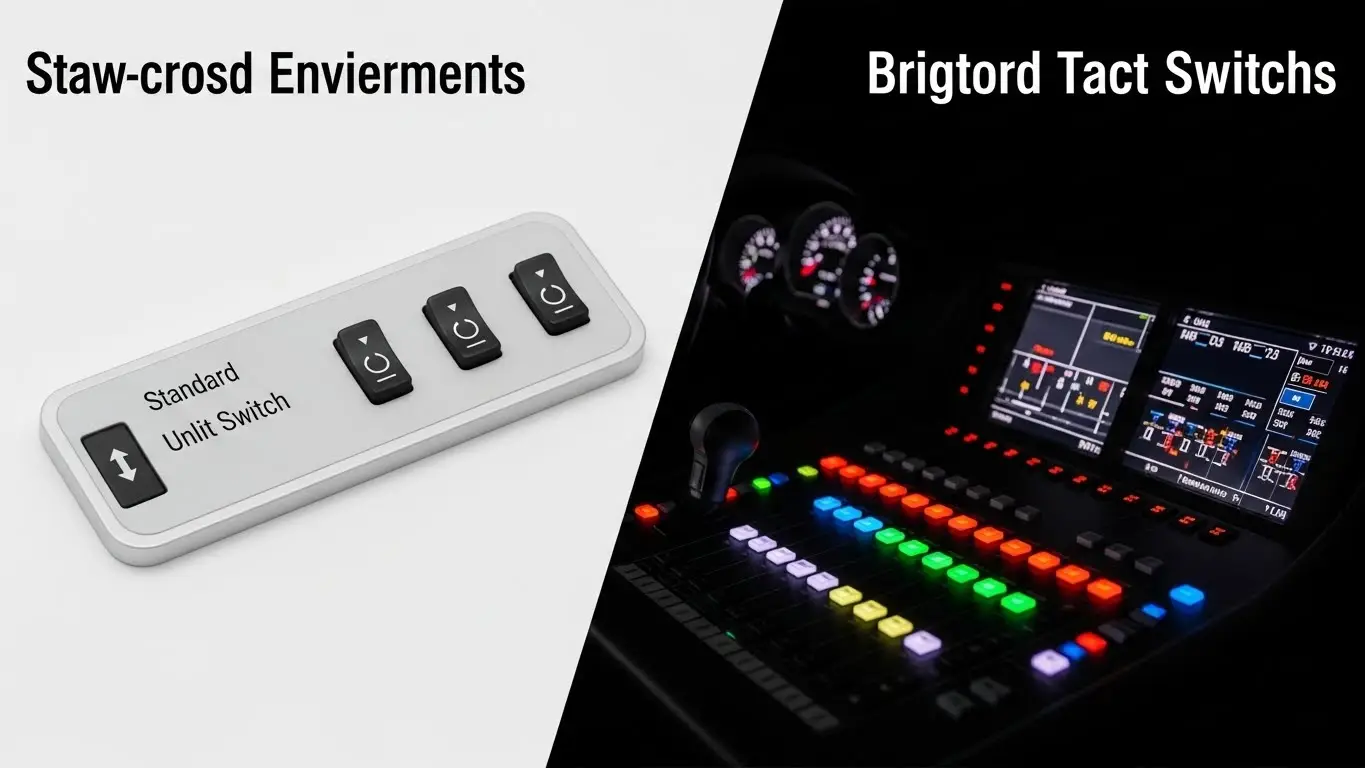
The final decision should always be driven by the product's use case and the user environment.
Best Applications for Standard Tact Switches
Standard switches excel where a user's attention is focused elsewhere or where the function is intuitively understood, and low-power/cost is paramount.
- Portable/Battery-Powered Devices: Remote controls, key fobs, small measuring instruments. The lower power draw is critical for device lifespan.
- Internal/Setup Functions: Reset buttons, mode selection switches on the PCB, or volume up/down controls where the status is shown on a separate screen.
- High-Density Keypads: Calculators, simple feature phones, or gaming controllers where dozens of switches need to be packed tightly and cost is sensitive.
- Industrial Equipment (Behind Panels): Maintenance or calibration buttons that are not part of the primary user interface.
Best Applications for Illuminated Tact Switches
Illuminated switches are essential in any scenario requiring immediate, undeniable visual confirmation of a state change.
- Safety and Critical Status: Emergency Stop (E-Stop) overrides, Power ON/OFF indicators, or a System Ready/Error light on a control panel. (See: Industrial Switch Comparisons)
- Low-Light or Dark Environments: Automotive dashboards, aircraft cockpits, stage lighting control boards, or home audio/video equipment.
- Multi-State User Interfaces: Selecting between modes (e.g., Mode A lit green, Mode B lit red) or confirming a momentary press has initiated a process.
- Aesthetic/Consumer Electronics: High-end consumer goods, custom keyboards, or gaming peripherals where the visual appeal and modern interface are key selling points.
Frequently Asked Questions
The contact rating (how much current the switch can safely pass) is generally similar, as the mechanical action is the same. However, standard tact switches are often optimized for very low-current signal transmission (logic level) because they are never expected to drive a load like an LED, making them unsuitable for even moderately high-current needs. For comparing different low-power switches, refer to: Tact Switch vs Micro Switch.
While the mechanical mechanism is often identical, the usable lifespan of the illuminated version can be shorter due to the LED. The mechanical life is typically 100,000 to 1,000,000+ cycles. The LED's L70 life (time until its light output degrades to 70% of its initial value) may be shorter than the mechanical life, especially if run at higher currents or temperatures, making the illumination unusable before the switch contacts fail.
A latching pushbutton switch with an integrated lamp is an alternative. The primary difference is function: A tact switch is momentary, while a latching switch maintains its state until pressed again. If you need momentary action with visual feedback, the illuminated tact switch is the correct component. If you need to keep a circuit active after a single press, a latching switch is better.
Yes. Manufacturers offer ultra-low-current LED versions, often using high-efficiency InGaN (Indium Gallium Nitride) technology, which can operate at microampere levels. These are ideal for battery applications where the visual output can be sacrificed slightly for significant power savings.
Key Takeaways
- Core Trade-off: The choice is between the cost-efficiency/simplicity of the Standard switch and the enhanced usability/visual feedback of the Illuminated switch.
- TCO Analysis: Always factor in the cost of the LED, the current-limiting resistor, and the added PCB complexity, not just the switch's unit price.
- Power is Primary: For battery-powered devices, the power draw of the LED(s) in an illuminated switch will be a major drain on power compared to the negligible draw of a standard switch.
- Application Focus: Use illuminated switches for critical status and dark environments; use standard switches for internal, high-volume, or simple function keys.
Conclusion
The illuminated tact switch and the standard tact switch are two sides of the same momentary coin, differentiated by the addition of the critical visual communication tool: the LED. For the cost-sensitive product where a button press is confirmed by an external display, stick with the highly reliable, simple, and low-cost standard tact switch. However, for any device where instant, unambiguous, on-device status is vital—especially in safety, low-light, or premium consumer applications—the investment in an illuminated tact switch is a necessity for a superior and safer user experience.
