





Fixing Noisy Signals in DIP Circuits: The Ultimate Guide
Noisy signals in DIP circuits usually result from mechanical switch bounce or floating inputs (lack of pull-up resistors). To fix this, implement debouncing strategies (adding an RC filter or software delay of 10–20ms) and ensure every input pin has a stable voltage reference. If noise persists, inspect for oxidation and apply contact cleaner.
Why is my DIP switch signal "bouncing" or noisy?
When you toggle a DIP switch, the metal contacts do not settle immediately. They physically bounce apart microscopically before establishing a solid connection. In digital logic, this split-second vibration looks like a rapid series of on/off pulses rather than a clean transition.
This phenomenon is known as Switch Bounce. If your microcontroller reads the pin during this bounce phase, it may register multiple inputs instead of one single toggle.
The "Floating Input" Problem
Beyond mechanical bounce, noise often stems from "floating" pins. If a DIP switch is open and there is no pull-up or pull-down resistor, the input pin acts like an antenna. It picks up electromagnetic interference (EMI) from nearby components, causing the digital value to flip randomly between 0 and 1.
For a deeper analysis of how these fluctuating states corrupt data, read our guide on why DIP switches cause configuration problems.
Original Industry Insight
HX-Switch Reliability Data:
In 2025 durability simulations conducted at HX-Switch, we analyzed the signal integrity of standard DIP switches over time. We found that mechanical bounce duration increases by roughly 40% after 5,000 actuation cycles in high-humidity environments (>75% RH). This means a software debounce routine that worked when the machine was new (e.g., 5ms) may fail as the equipment ages, requiring a longer wait time (e.g., 20ms) to prevent intermittent DIP switch signal errors.
How do I debounce a DIP switch effectively?
There are two primary ways to clean up a noisy signal: Hardware Debouncing (modifying the circuit) and Software Debouncing (modifying the code).
Comparison: Hardware vs. Software Debouncing
| Feature | Hardware Debouncing (RC Filter) | Software Debouncing (Code Delay) |
| Complexity | Moderate (Requires soldering). | Low (Code changes only). |
| Cost | Adds component cost (resistors/caps). | Free. |
| CPU Load | Zero overhead. | Consumes processor cycles. |
| Reliability | Excellent for high-noise environments. | Good for general use. |
| Best For | Legacy hardware, noisy industrial areas. | Modern microcontrollers (Arduino, STM32). |
Key Terminology
To troubleshoot effectively, you must understand these definitions:
- Switch Bounce: The transient fluctuation in electrical signal that occurs when mechanical contacts close or open, typically lasting between 10µs and 20ms.
- Pull-Up Resistor: A resistor connecting a signal line to the positive voltage supply (VCC) to ensure the line stays at a "High" logic level when the switch is open, preventing a floating state.
- RC Constant: The time it takes to charge a capacitor, used to smooth out voltage spikes in hardware debouncing.
Step-by-Step: Implementing Hardware Debouncing
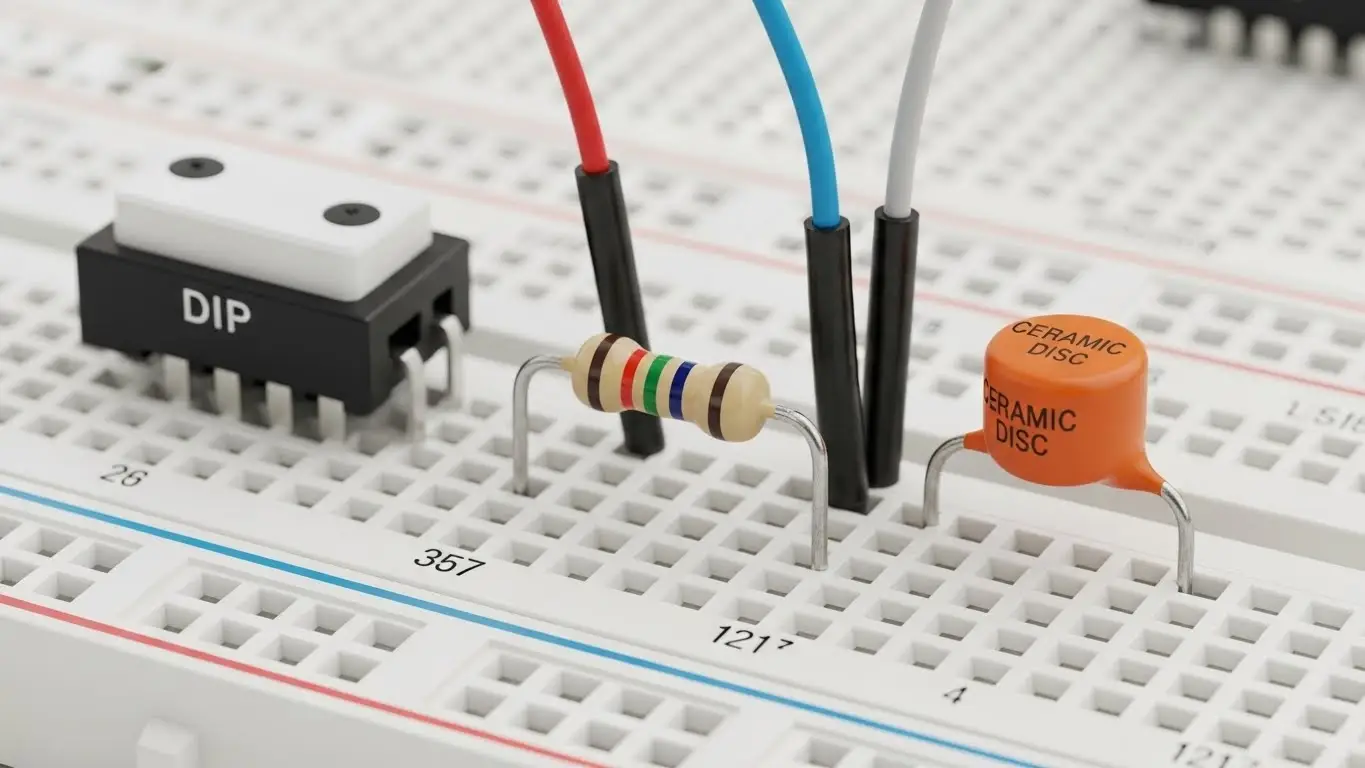
If you cannot modify the device firmware, you must fix the noise at the circuit level. This is often part of advanced troubleshooting and repair for legacy industrial controls.
- Select the Resistor (R): Choose a resistor between $1k\Omega$ and $10k\Omega$. This limits the current flow.
- Select the Capacitor (C): A $0.1\mu F$ (100nF) ceramic capacitor is standard.
- Calculate the Time Constant: Use the formula $\tau = R \times C$.
- Example: $10,000\Omega \times 0.0000001F = 1ms$.
- This smooths out any spikes faster than 1ms.
- Install the Components:
- Place the Resistor in series with the switch signal.
- Place the Capacitor between the signal pin and the ground (GND).
- Test: Check the signal with an oscilloscope or multimeter. The transition should now appear as a smooth curve rather than a jagged spike.
Is this issue related to Tactile Switches?
Yes. While DIP switches are used for configuration, tactile (momentary) switches use similar metal dome contacts and suffer from the exact same bounce issues.
- If your push-buttons are registering double-clicks, the debounce logic is failing.
- If the button isn't registering at all, you are dealing with a different failure mode. See our guide on why tact switches stop responding.
In cases where physical debris is causing the noise (scratchy signals), mechanical cleaning or replacement is required. For manual repair techniques, refer to how to fix stuck tactile switches.
FAQ: Signal Noise & Troubleshooting
According to HX-Switch engineering standards and general microcontroller best practices, a delay of 10ms to 20ms is sufficient for 99% of mechanical switches. Waiting longer than 50ms may make the interface feel "laggy" to the user.
Yes. As contacts oxidize, the resistance fluctuates, creating "static" on the line. If cleaning doesn't resolve the noise, the switch may be electrically dead. Verify this using our DIP switch no signal troubleshooting guide.
Modern MCUs (like Arduino/ESP32) have internal pull-ups that can be enabled via software (e.g., INPUT_PULLUP). However, in high-interference industrial environments (referenced in the Industrial EMI Mitigation Handbook), relying on weak internal pull-ups is risky. HX-Switch recommends using a dedicated external $10k\Omega$ resistor for maximum stability.
