





Fix Intermittent DIP Switch Signals: Cleaning, Debouncing & Repair
Is your device behaving erratically, ignoring configuration settings, or flickering between modes? Intermittent DIP switch signals are a common headache in legacy electronics and new IoT prototypes alike.
The problem is rarely the switch "breaking" in the traditional sense. Instead, it is usually contact oxidation or signal bounce. Before you desolder component, try the "Wipe Method": vigorously toggle the affected switch back and forth 10-15 times. This utilizes the switch's internal metal wiper to physically scrape off oxide buildup, often restoring continuity immediately.
1. The "Wipe" Method: The Easiest Fix
DIP (Dual In-line Package) switches are designed with a sliding metal contact. Because they are often set once and left for years, a non-conductive layer of oxide or dust can form on the gold or tin contacts.
- How to do it: With the device powered down, use a small tool to flip the actuator from ON to OFF repeatedly.
- Why it works: This friction breaks the oxide layer. If this fixes the signal temporarily but it fails again later, you need a chemical cleaner.
2. Chemical Cleaning (Do It Right)
If the physical wipe didn't clear the signal, you need to dissolve the contamination.
Warning: Do NOT use standard WD-40 or oil-based lubricants. They leave a residue that attracts dust, eventually turning into a non-conductive paste that ruins the switch.
- The Solution: Use DeoxIT D5 or high-purity (99%) Isopropyl Alcohol.
- Application:
- Apply a tiny drop or short burst into the switch gap.
- Immediately cycle the switch (The Wipe Method) to work the fluid into the contact area.
- Allow 10 minutes to dry before powering up.
3. Checking for "Floating" Signals
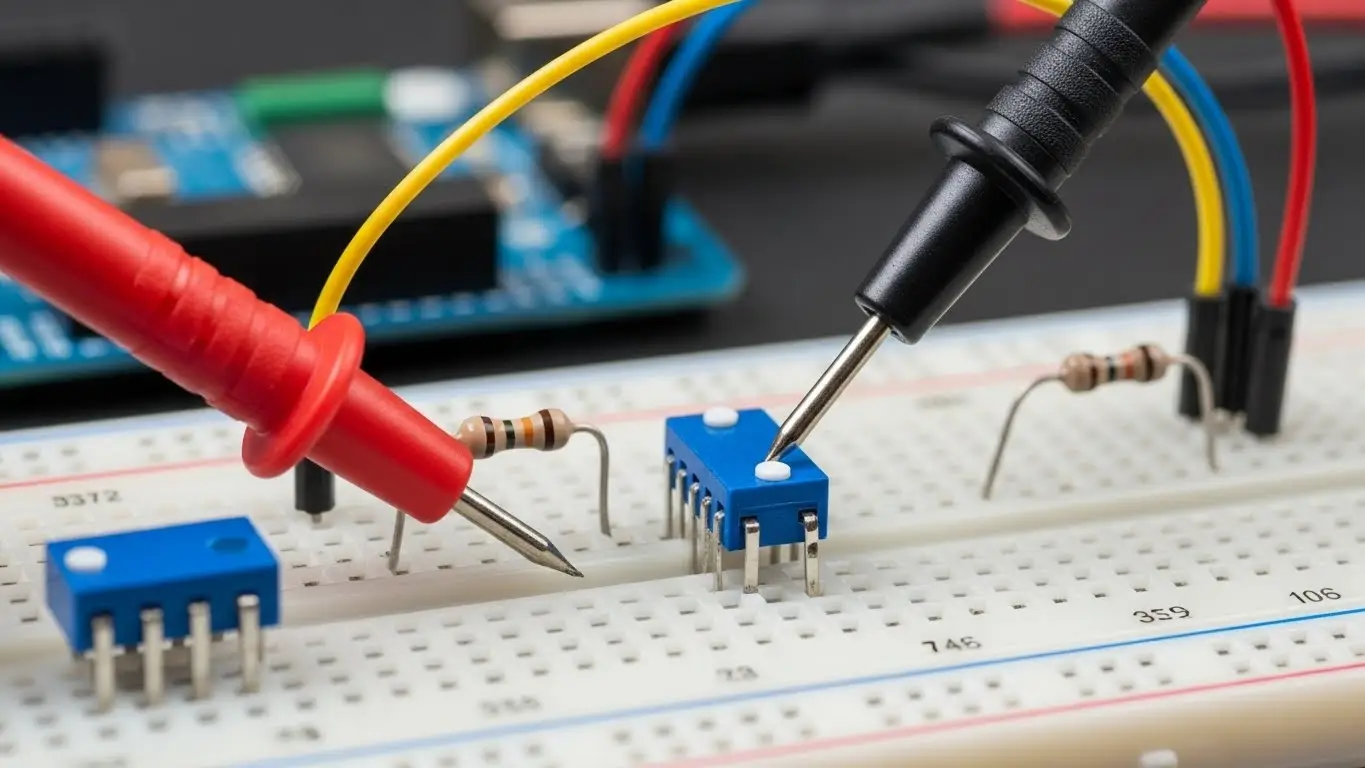
Sometimes the switch is fine, but the circuit is confused. This is common in DIY electronics (Arduino/Raspberry Pi) or badly designed boards.
If a DIP switch pin is connected to a microcontroller without a Pull-Up or Pull-Down Resistor, the voltage "floats" when the switch is open. The chip picks up static electricity from the air, reading it as random ON/OFF signals.
- The Test: Measure the voltage at the pin. It should be a solid 0V or 3.3V/5V. If it hovers around 1-2V, you are missing a resistor.
- Deep Dive: This diagnosis is similar to advanced troubleshooting and repair for logic boards.
4. Addressing "Switch Bounce"
When you flip a switch, it doesn't just go from 0 to 1. Microscopically, the metal contacts bounce apart several times before settling. Fast processors read these bounces as multiple rapid inputs.
- Symptom: A single toggle triggers a function multiple times.
- Hardware Fix: Add a small capacitor (e.g., 0.1µF) across the switch pins to smooth the signal.
- Software Fix: Implement a "debounce" delay in your code (ignoring signal changes for ~20ms after the first trigger).
5. Mechanical Failure & Cold Joints
If cleaning and debouncing fail, the issue is physical.
- Cold Solder Joints: Inspect the underside of the PCB. If the solder blob looks dull or cracked, the connection is intermittent. Reflow it with a soldering iron.
- Internal Collapse: If the switch feels loose or lacks a "snap," the spring tension is gone. This is a mechanical failure similar to a tact switch not clicking and requires component replacement.
Frequently Asked Questions
No. Vinegar is an acid (acetic acid). While it removes rust, it is corrosive and will eat away the thin gold plating on DIP switch contacts, causing permanent failure shortly after.
This indicates severe oxidation or internal corrosion. If resistance is above 1-2 Ohms after cleaning, the switch must be replaced. See DIP switch not reading fixes for more details.
Standard DIP switches are rated for roughly 1,000 to 3,000 cycles. They are durable but not designed for frequent use like a tact switch.
Generally, no. Even non-conductive cleaners can cause thermal shock to hot components or move conductive debris across traces. Always power down first.
Key Takeaways
- Cycle First: The "Wipe Method" (toggling 10x) clears most oxide issues instantly.
- Check the Pull-Up: A floating pin looks like a broken switch; verify your resistors.
- No WD-40: Use dedicated contact cleaner or Isopropyl Alcohol to avoid sticky residue.
- Debounce Signals: Fast digital logic needs a software or hardware delay to ignore contact bounce.
Conclusion
Intermittent DIP switch signals are frustrating, but 90% of the time they are solved by cleaning oxidation or adding a pull-up resistor. By diagnosing the root cause—whether it's dirty contacts, signal bounce, or mechanical failure—you can restore reliability to your device without unnecessary component replacement.
If the switch is physically loose or damaged, don't waste time trying to revive it—swap it out for a high-quality replacement to ensure long-term stability.
