





Factors Affecting Tact Switch Tactile Feel
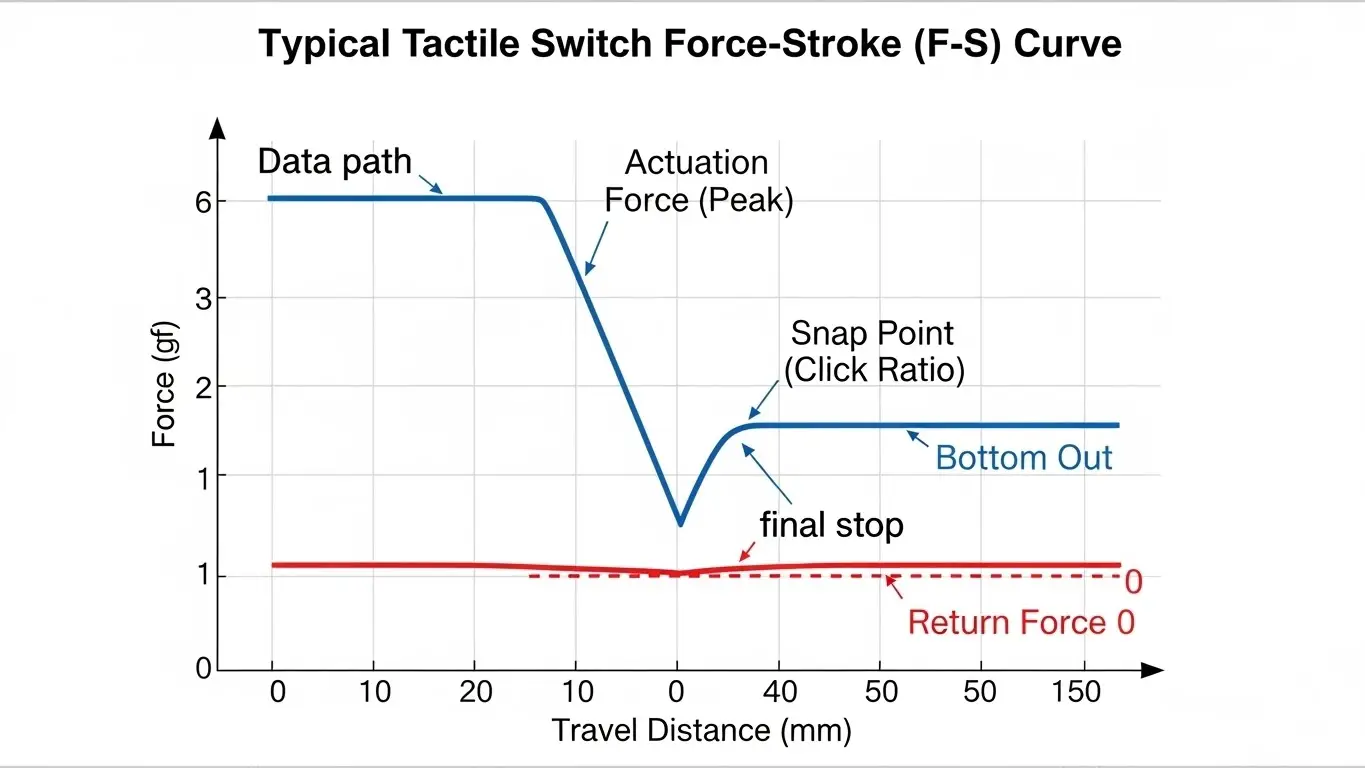
The tactile feel of a switch is primarily determined by the Force-Stroke (F-S) curve, which maps the relationship between the physical pressure applied and the distance the actuator travels. The three critical variables defining this "personality" are Actuation Force (how hard you press), Travel Distance (how far the button moves), and the Click Ratio (the crispness of the snap).
Beyond the internal mechanics, external factors like the contact material (metal dome vs. rubber), the rigidity of the PCB layout, and environmental sealing also play significant roles. For engineers, balancing these factors is the key to creating a user interface that feels premium rather than cheap or "mushy."
What Is the "Click Ratio" and Why Is It Critical?
The Click Ratio (or Tactile Ratio) is a calculated percentage that defines how "sharp" or "crisp" a switch feels to the user. It represents the sudden drop in resistance when the switch dome collapses.
A high click ratio means a sharp, loud snap, while a low ratio results in a softer, quieter press. The formula used by manufacturers is: Click Ratio (%) = (Operating Force - Return Force) / Operating Force × 100
The Impact on User Experience
- High Ratio (>50%): Feels very "snappy" and mechanical. Common in industrial controls or devices used with gloves.
- Medium Ratio (30-50%): The standard "crisp" feel found in consumer electronics and remote controls.
- Low Ratio (<30%): Feels "soft" or "mushy." Often preferred for audio equipment or automotive dashboards where silence is prioritized.
How Does Actuation Force Impact User Perception?
Actuation force acts as the "weight" of the switch, determining how deliberate the user's input must be. Measured in gram-force (gf), it sets the threshold for activation.
While actuation force is often confused with tactile feel, they are distinct. You can have a heavy switch (300gf) with a weak snap (low ratio), or a light switch (100gf) with a sharp snap. However, heavier switches generally allow for stronger metal domes, which often produce a more distinct tactile feedback.
- Light Force (70-130gf): Best for rapid, repetitive inputs like gaming mice.
- Heavy Force (260gf+): Best for safety-critical buttons to prevent accidental presses.
Does Travel Distance Change the Tactile Feedback?
Yes, travel distance fundamentally shapes the "depth" and duration of the tactile event.
Short-travel switches (0.1mm - 0.25mm) typically use metal domes that snap instantly, providing immediate, sharp feedback. Long-travel switches often feel smoother but less distinct.
If you are designing a compact device, understanding the trade-offs between a low-profile 0.15mm travel switch and a deeper standard switch is vital. You can dive deeper into the specifics in our guide on tact switch travel distance explained.
Metal Dome vs. Rubber Stem: Which Feels Better?
Metal domes provide a sharp "click," while rubber stems provide a soft "thud." The "better" choice depends entirely on the application.
Metal Dome Characteristics
Most standard tactile switches use a stainless steel or phosphor bronze dome. When pressed, it buckles, creating a distinct auditory and haptic click. This is the industry standard for general-purpose electronics.
Rubber Stem (Conductive Rubber)
Some switches use a silicone rubber actuator. Because rubber compresses rather than snaps, the tactile feel is dampened.
- Pros: Silent operation, smooth feel, higher cycle life in some cases.
- Cons: Lower click ratio, feels "mushy" to some users.
For a broader comparison of snap-action mechanics, you can review our micro switch deep dive.
Can PCB Layout and Mounting Affect Switch Feel?
Absolutely. A flexible or poorly supported PCB can absorb the energy of the press, dampening the tactile feel.
If a high-force switch (e.g., 300gf) is mounted on the center of a thin, unsupported circuit board, the board will flex when pressed. This flex creates a "springboard" effect that steals energy from the dome's snap, making a crisp switch feel spongy.
Actionable Tip: Always place tactile switches near mounting holes or structural ribs. For more design rules, check our PCB layout tips for SMD DIP switches.
Do Waterproof Seals Reduce Tactile Crispness?
Yes, adding IP67 protection often slightly dampens the sharpness of the tactile feedback.
To achieve an IP67 waterproof rating, manufacturers often place a silicone membrane or seal over the metal dome. Because this layer is soft and flexible, it cushions the user's finger impact and the dome's return snap.
While the difference is often subtle, an unsealed switch will almost always feel "sharper" than a sealed equivalent. However, the trade-off is necessary for device longevity in harsh environments.
Frequently Asked Questions
No, the tactile feel is determined by the internal dome geometry and materials. You cannot modify it without disassembling (and destroying) the switch. You must select the correct specifications during the design phase.
Excessive heat during soldering can warp the plastic housing or affect the tension of the metal dome. Always follow the manufacturer's recommended temperature profile. Additionally, flux residue entering the switch can make the action sticky.
Directly, no—plating affects conductivity. However, gold-plated contacts prevent corrosion. A corroded switch may feel "gritty" or require harder presses to register a signal, which users interpret as a "bad feel."
Tactile" means there is a physical bump or snap during the press. "Linear" means the resistance is constant all the way down (like a spring). Most tact switches are, by definition, tactile, but some long-travel versions can feel linear if the click ratio is very low.
It doesn't. A DIP switch current & voltage rating determines electrical safety, not mechanical feedback. However, high-power switches are often physically larger, which can indirectly influence the mechanical design.
Key Takeaways
- The Golden Ratio: The "Click Ratio" is the math behind the crispness; aim for >40% for a snappy feel.
- Don't Blame the Switch: A flexing PCB or tight button cap can ruin the feel of even the best components.
- Material Matters: Choose metal domes for distinct clicks and rubber stems for silent, soft actuation.
- Trade-offs: Waterproofing adds durability but may slightly soften the tactile sharpness.
Conclusion
Optimizing tact switch tactile feel requires a holistic view of the component and its environment. By selecting the right combination of actuation force, travel distance, and contact material, you can define the user's emotional connection to your product.
Remember that the switch is just one part of the assembly. Ensure your enclosure tolerances and PCB rigidity support the crisp snap you are paying for.
