





DIP Switch Replacement Solutions: The Modern Engineer's Guide
Are you looking for the best DIP switch replacement solutions to modernize your PCB design? While the humble Dual In-line Package (DIP) switch has been the industry standard for configuration since the 1970s, modern electronics demand smaller footprints, better waterproofing, and smarter interfaces.
The best replacement depends entirely on why you are removing the DIP switch. If you need to cut costs, pin headers with jumpers or 0-ohm resistors are the superior choice. If you need to improve the user experience for field technicians, upgrading to rotary coded switches is the professional standard. For IoT and compact devices, the ultimate solution is removing the hardware entirely in favor of firmware configuration or NFC provisioning.
This guide covers every viable alternative, from simple hardware swaps to advanced software-defined settings.
Hardware Swaps: Reducing Cost & Footprint
When you need to keep a physical configuration method but can't afford the space or cost of a standard piano-style DIP switch, these component-level swaps are your best bet.
1. Pin Headers and Jumpers (Shunts)
The most common alternative for "set-and-forget" applications.
- How it works: A simple 2.54mm or 1.27mm pitch male header is bridged by a small plastic cap containing a metal clip.
- Best for: Prototyping, development boards, and settings that are changed rarely (e.g., enabling a "bootloader" mode).
- Pros: Significantly cheaper than switches; distinct visual "On/Off" state.
- Cons: Loose parts (shunts) can be lost by technicians; requires more vertical height than some SMT switches.
2. Solder Bridges & 0-Ohm Resistors
For high-volume production where settings are fixed at the factory.
- How it works: Designers place two exposed pads on the PCB that can be bridged with a drop of solder, or they place a "0-ohm link" resistor across the pads during assembly.
- Best for: Regional variations (e.g., PAL vs. NTSC video) or disabling features on lower-tier models.
- Pros: Zero mechanical failure points; lowest possible cost; vibration proof.
- Cons: Requires tools (soldering iron) to change; risk of damaging the board if modified frequently.
3. Rotary Coded Switches
If your DIP switch is used to set a Device ID or address, this is the premium upgrade.
- How it works: instead of flipping 8 separate toggles to create binary
00000101, the user simply turns a dial to "5". - Why upgrade? It eliminates "binary math" errors in the field. To see exactly when this trade-off makes sense, read our comparison on when to use rotary switches vs. DIP switches.
Software Alternatives: The "Zero-Component" Approach
In modern IoT devices, the most effective DIP switch is the one you don't install. Moving configuration to software saves BOM (Bill of Materials) cost and board space.
1. Resistor Strapping (GPIO Detection)
- Concept: Instead of a switch, you use voltage dividers on Microcontroller (MCU) pins. By reading the voltage at startup, the MCU determines the configuration.
- Application: Identifying board revisions or hardware versions automatically.
2. Non-Volatile Memory (EEPROM/Flash)
Why use physical pins to store a baud rate or ID?
- Implementation: Store variables in the MCU's internal EEPROM.
- Provisioning: Use a USB connection or a bootloader script to "flash" the serial number and settings during manufacturing.
- Advantage: Infinite expandability. A physical 8-position DIP switch offers 256 combinations; a 32-bit integer in software offers 4 billion.
- For a deeper dive into these digital configuration strategies, check our guide on the best alternatives to DIP switches.
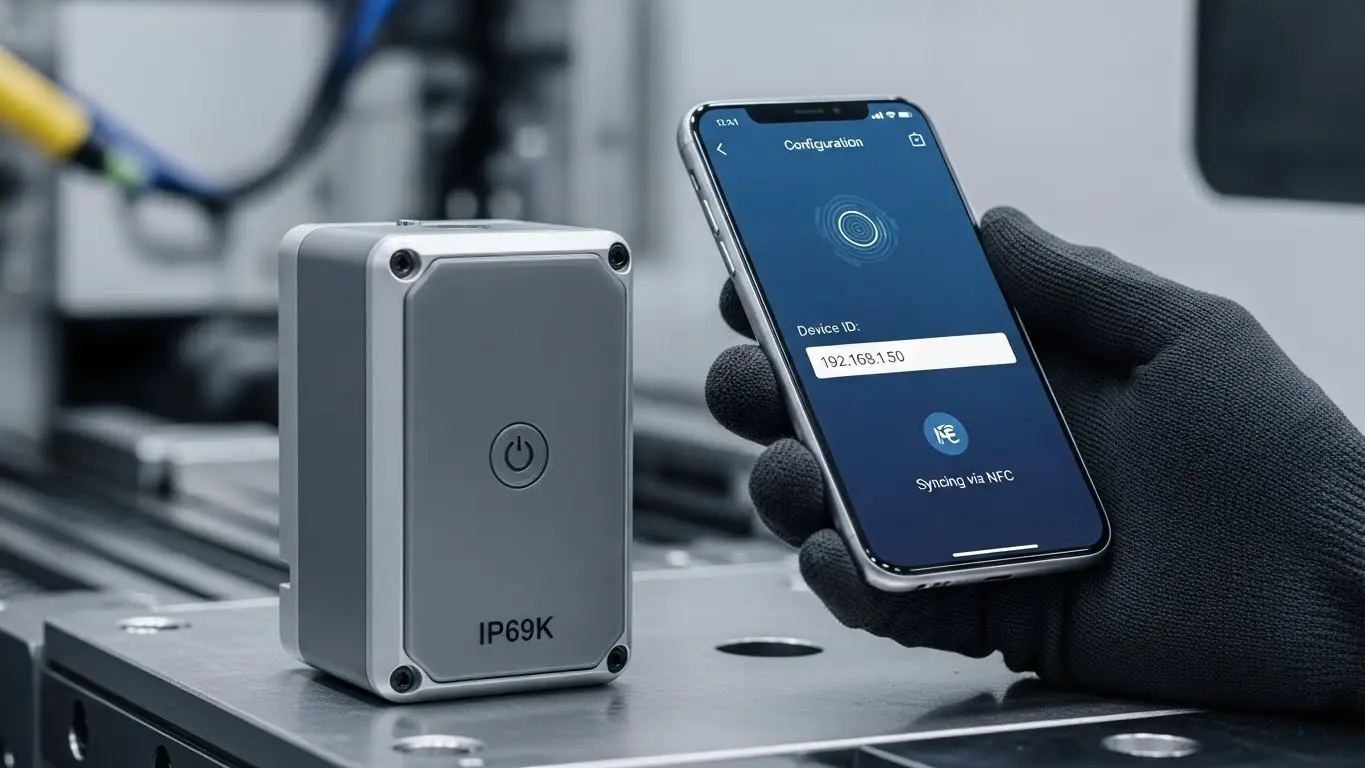
3. NFC & Wireless Provisioning
For sealed, waterproof devices, Near Field Communication (NFC) is the game-changer.
- Workflow: A technician taps a smartphone to the industrial sensor. The phone app pushes the configuration (ID, Thresholds, Network) to the device's passive NFC tag—even if the device is powered off.
- Benefit: Allows for IP69K fully sealed enclosures with zero external holes.
Decision Matrix: Which Replacement Fits Your Project?
| Constraint | Best Replacement | Why? |
| Cost is #1 Priority | Solder Bridges / 0-Ohm | Almost free; reliable for factory settings. |
| User Friendliness | Rotary Coded Switch | Prevents configuration errors in the field. |
| Space / Size | Firmware / EEPROM | Zero PCB footprint required. |
| Waterproofing | NFC / Touch Sensors | Eliminates holes in the housing. |
Specialized Applications
Compact & Wearable Devices
If you are designing a fitness tracker or a smart watch, standard DIP switches are massive. You are likely dealing with space constraints that require removing all mechanical toggles.
- The Solution: Micro-controllers with internal pull-up resistors or ultra-compact alternatives to tact switches in compact devices.
- User Input: If you need user-accessible configuration on a tiny device, consider replacing switches with best alternatives to micro tact switches like metal domes, which add almost zero height.
Industrial Networking
In legacy industrial automation, DIP switches were used to configure unmanaged Ethernet switches or RS-485 termination.
- The Shift: The industry is moving toward "Managed Switches" where configuration happens via a Web UI or command line.
- Learn More: If you are upgrading your network infrastructure, explore our insights on industrial Ethernet switch alternatives to see how software-defined networking is killing the hardware switch.
Modernizing the Interface
If your DIP switch replacement is part of a larger panel redesign, you might be considering swapping out old mechanical buttons for glass or acrylic panels.
- The Trade-off: While touch screens look modern, they lack feedback. Review our analysis of touch sensors vs. tactile switches to decide if a "virtual" button is safe for your specific application.
Frequently Asked Questions
Yes. You can use "GPIO strapping." The microcontroller reads the state of a specific pin at startup (connected to Ground or VCC via a resistor) to determine the device's mode, effectively acting as a permanent virtual switch.
Jumpers are mechanically simpler and less prone to internal contact corrosion than cheap DIP switches. However, the plastic shunt itself can fall off in high-vibration environments unless "locking" headers are used.
The industry standard is to use a "Configuration Mode." For example, holding a specific button during power-up turns the device into a WiFi Access Point or enables a USB Virtual COM port, allowing you to edit settings via a laptop or phone.
The smallest physical replacement is a solder bridge. It takes up roughly 1mm x 2mm of board space and has zero height. The smallest adjustable replacement is a surface-mount rotary switch or a micro-jumper header.
Key Takeaways
- Analyze Frequency: If the setting changes once (at factory), use solder bridges. If it changes often, use rotary switches.
- Go Digital: Whenever possible, replace hardware configuration with firmware settings (EEPROM) to save space and money.
- Consider the User: Don't use binary DIP switches for complex IDs; use human-readable rotary dials to reduce support calls.
- Think Holistically: Replacing a DIP switch is often part of a larger move toward sealed, waterproof, and smart designs.
Conclusion
Replacing DIP switches is not just about saving board space—it's about increasing reliability and usability. Whether you choose the rugged simplicity of a jumper, the user-friendly clarity of a rotary switch, or the invisible power of firmware configuration, the right choice will modernize your product and reduce long-term costs. Ready to select the exact component? Start by evaluating your space constraints and user access needs.
