





Common Tact Switch Failures: Troubleshooting & Repair Guide
If your tactile switch is failing, the problem is almost always one of two things: mechanical fatigue (the metal dome has collapsed) or contact contamination (oxidation or debris is blocking the signal).
For a quick fix on intermittent switches, flushing the component with a dedicated contact cleaner like DeoxIT D5 often works. However, if the distinct "click" is gone, the internal spring mechanism is physically damaged, and the only reliable solution is component replacement.
1. The "Mushy" Feel (No Click)
The defining feature of a tactile switch is its sharp, snappy feedback. If your button feels "mushy" or soft, the internal metal dome has suffered plastic deformation.
Cause: Metal Dome Fatigue
Every switch has a rated life cycle (e.g., 100,000 cycles). Over time, or if pressed with excessive force, the metal dome loses its elasticity. It may still make electrical contact, but the tactile feedback is gone.
- Diagnosis: Press the switch slowly. If you don't feel the "snap," the dome is compromised.
- The Fix: This is a permanent mechanical failure. No amount of cleaning will restore the spring tension. You must replace the unit.
- Learn more about this specific failure: How to fix a tact switch that isn't clicking
2. Intermittent or "Double" Clicking (Bouncing)
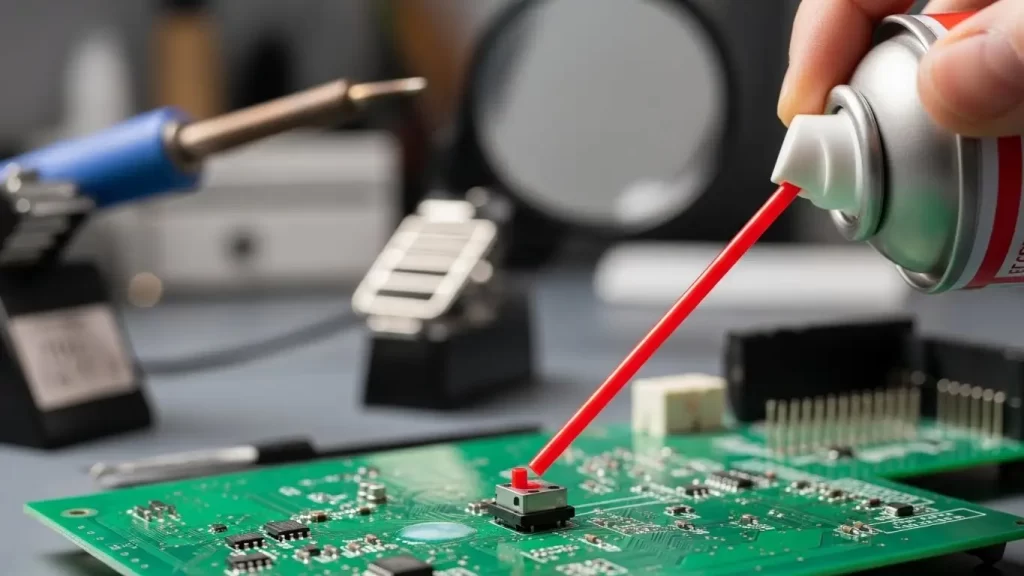
Does a single press register as two inputs? or do you have to press exceptionally hard to get a response? This is usually an electrical issue, not a mechanical one.
Cause: Contact Bounce & Oxidation
Inside the switch, a silver or gold-plated contact pad closes the circuit. If this pad oxidizes or gets dirty, the resistance spikes. The microcontroller reads this "noise" as multiple rapid presses (bouncing) or ignores it entirely.
- The Fix:
- Software Debouncing: Ensure your firmware ignores signal spikes under 5-10ms.
- Cleaning: For non-sealed switches, you can try injecting isopropyl alcohol or contact cleaner.
- Deep Dive: Why your tact switch isn't working
3. The "Ghost" Press (Silver Migration)
A rare but frustrating failure is when a device activates on its own without anyone touching it.
Cause: Dendritic Growth
In high-humidity environments, silver atoms from the contacts can migrate across the insulating surface, creating delicate, conductive "tree-like" structures (dendrites). This creates a short circuit, tricking the device into thinking the button is held down.
- Prevention: Use IP67-rated sealed switches for humid environments.
- Solution: The switch is internally shorted and must be replaced.
4. The "New Build" Failure (Flux Contamination)
If a switch fails immediately after soldering, you likely have flux contamination.
Mechanism: The Vacuum Effect
During soldering, the air inside the switch heats up and expands. As it cools, it creates a vacuum, sucking in liquid flux from the PCB surface. This flux dries on the contacts, forming an insulating layer that prevents electrical flow.
- Prevention: Do not wash unsealed switches. Use "no-clean" flux or apply flux sparingly.
- Troubleshooting: This often requires advanced troubleshooting and repair involving desoldering and replacing the contaminated unit.
Repair vs. Replace: Decision Matrix
Not sure if you should attempt a repair? Use this guide.
| Symptom | Probable Cause | Recommended Action |
| No "Click" Sound | Dome Fatigue | Replace. (Mechanical damage is irreversible) |
| Hard Press Required | Oxidation/Dirt | Clean. (Try contact cleaner first) |
| Double Inputs | Contact Bounce | Check Firmware or Replace. |
| Stuck "ON" | Solder Short/Migration | Replace. (Internal short circuit) |
| Grinding Feel | Debris Ingress | Replace. (cleaning rarely removes all grit) |
Frequently Asked Questions
Q: Can I use WD-40 to fix a tactile switch?
A: No. Standard WD-40 leaves an oily residue that attracts dust and can ruin the plastic housing. Only use specialized "Contact Cleaner" or 99% Isopropyl Alcohol.
Q: Why do some switches have 4 pins if they only do one thing?
A: The 4 pins are usually connected in pairs internally for structural stability on the PCB. It also simplifies PCB layout by allowing the switch to act as a jumper wire.
Q: How do I test a tact switch without removing it?
A: With the device powered off, set your multimeter to "Continuity" mode. Probe the pins and press the button. You should hear a beep (near 0Ω resistance) only when pressed. If the resistance is high (e.g., 50Ω+), the contacts are dirty.
Q: Can I replace a through-hole switch with a surface mount one?
A: Generally, no. The footprint and solder pads are different. You must match the specific "package" type and actuator height.
- Related Component: DIP Switch Not Reading Fixes
Key Takeaways
- Listen for the Click: If the sound is gone, the switch is mechanically dead.
- Check for Flux: New switches failing usually means flux was sucked inside during soldering.
- Environment Matters: High humidity can cause silver migration, leading to "ghost" presses.
- Clean Carefully: Only use electronics-safe cleaners; never use oil-based lubricants on tact switches.
Conclusion
Tactile switches are robust, but they aren't immortal. Whether it's the mechanical snap of the dome or the electrical clarity of the contacts, failure is usually predictable. By identifying the specific symptom—mushy feel vs. spotty signal—you can stop wasting time cleaning broken springs and start fixing the real problem.
If you are seeing frequent failures in your designs, consider upgrading to sealed (IP67) switches or reviewing your soldering profile to prevent contamination.
