





Best Tactile Switches for Robotics
The best tactile switches for robotics combine high actuation durability (minimum 1 million cycles) with precise haptic feedback and robust environmental sealing (IP67). For industrial teach pendants and autonomous mobile robots (AMRs), engineers should prioritize sealed metal dome switches with gold-plated contacts. These components resist the vibration, dust, and moisture common in factory environments while providing the distinct "click" operators need to confirm inputs without looking down. Leading options include low-profile SMT switches for compact end-effectors and heavy-duty, high-force switches for handheld controllers.
What Are the Critical Requirements for Robotic Switches?
Selecting switches for robotics is fundamentally different from consumer electronics. A robot's downtime can cost thousands of dollars per minute, meaning component failure is not an option.
1. Vibration and Shock Resistance
Robots move. Whether it’s a 6-axis arm or a warehouse AMR, the chassis is constantly vibrating. Standard switches can suffer from "contact chatter," where the vibration causes the switch to signal falsely. You need switches with high contact pressure and robust internal springs designed to remain stable under G-force loads.
2. Environmental Sealing (IP Ratings)
Factory floors are dirty. Oil mist, metal shavings, and wash-down procedures are standard.
- IP67 Rating: Essential for any switch exposed to the outer shell of the robot. This ensures the switch is dust-tight and can survive temporary immersion in water.
- Unsealed Switches: Only acceptable for internal PCBs inside a fully sealed control cabinet.
For robots operating outdoors or in agricultural settings, protection becomes even more critical. You can learn more about selecting components for these harsh environments in our guide on Best Waterproof Tact Switches for Outdoor Electronics.
3. Haptic Feedback (The "Snap" Ratio)
In robotics, the operator often wears gloves. A soft, mushy button is dangerous because the user can't feel if they've successfully triggered a command.
- High Actuation Force: Look for switches with 260gf to 300gf. This resistance prevents accidental presses.
- Sharp Click: A high snap ratio ensures the operator feels the actuation even through thick safety gloves.
Best Switches for Robotic Teach Pendants
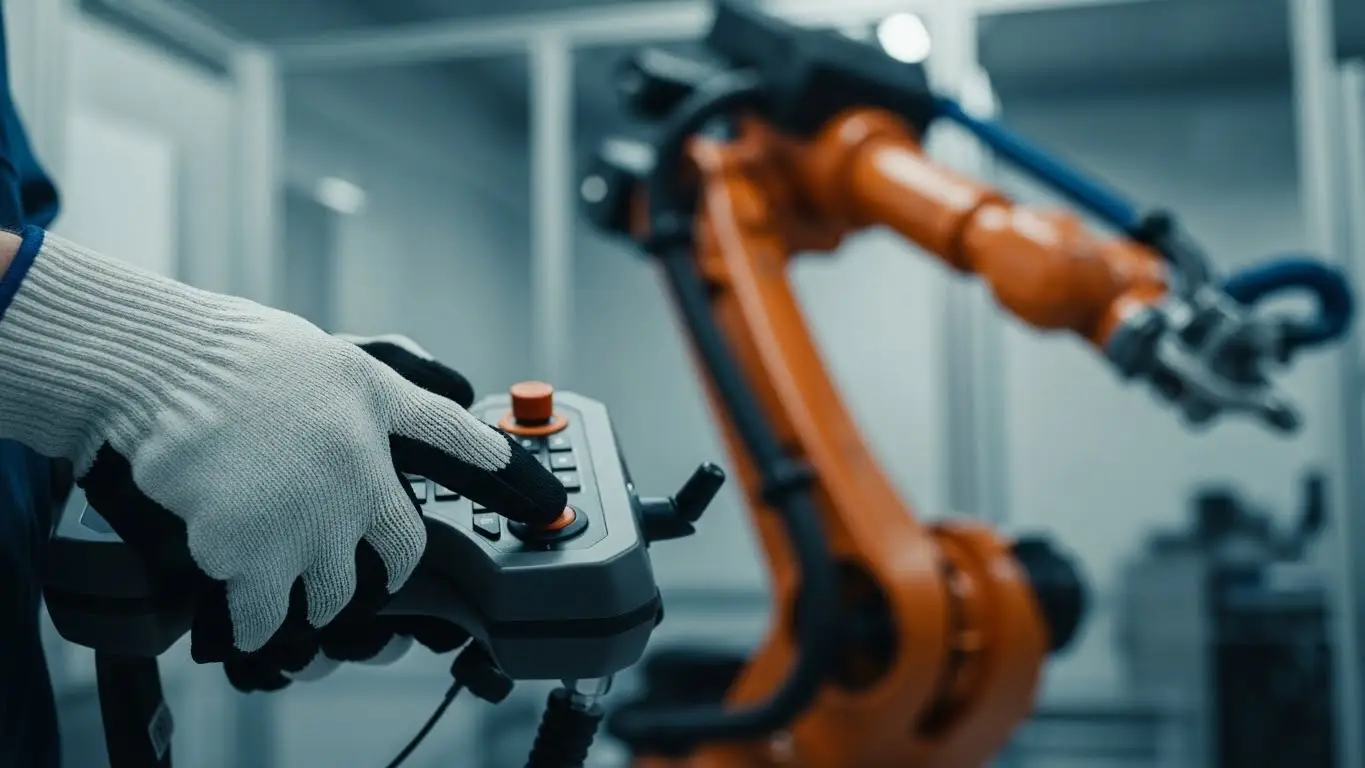
The teach pendant is the primary interface between the human and the machine. It is essentially a ruggedized handheld computer used to program waypoints.
Deadman and Enable Switches
Safety is paramount. The "deadman" switch is a 3-position tactile device on the back of the pendant. It requires the operator to hold it in the middle position to move the robot. If they let go (panic) or grip too hard (electric shock spasm), the robot stops immediately.
Keypad Navigation
For the front panel data entry, space is at a premium. Engineers often use high-density arrays of tactile switches. These need to be reliable but also compact. If you are designing a sleek, modern pendant, you might look into Best Low Profile Tact Switches for Compact Devices to keep the device thin and ergonomic.
Additionally, these pendants often communicate wirelessly or via tether to the main controller. The internal pairing and reset buttons for these communication modules must be equally robust. See our analysis on Best Switches for Handheld Consumer Devices for cross-over technology that applies to industrial handhelds.
What Switches Are Best for Autonomous Mobile Robots (AMRs)?
AMRs require robust, panel-mounted switches for emergency stops and user interface panels that can withstand collisions and constant movement.
On-Board User Interfaces
AMRs often have a small control panel on the chassis for local overrides. These buttons are typically mounted directly to a PCB behind a heavy-duty overlay.
- Gold Contacts: Since AMRs run on battery power, low-contact resistance is vital to save energy. Gold plating ensures reliable signals even at low logic voltages (3.3V or 1.8V).
- Network Config: Before an AMR joins the fleet, it often needs its IP address or ID set manually. This is where Best DIP Switches for Industrial Control Panels come into play, allowing hardware-level configuration that won't be wiped by a software glitch.
[SUGGESTED LINK: Guide to AMR Safety Standards]
Emergency Stop (E-Stop) Interaction
While the E-Stop itself is a mushroom button, the reset logic often relies on a secondary tactile switch. This confirms the operator has physically cleared the fault. For these critical safety loops, redundancy is key.
How Long Do Tactile Switches Last in Industrial Robots?
Industrial robotic switches typically require a lifespan of 1 million to 10 million cycles, significantly higher than the 100,000 cycles found in consumer devices.
In a high-volume manufacturing cell, a "Cycle Start" button might be pressed every 30 seconds, 24 hours a day. That’s nearly 3,000 presses a day, or 1 million a year.
- Standard Tact Switch: Fails in 3-4 months.
- Industrial Tact Switch: Lasts 5-10 years.
If you are prototyping a new robotic end-effector, you might start with standard switches, but you must upgrade for production. Read more about the transition from lab to factory in our article on Best DIP Switches for Prototyping Boards.
Do All Robotic Switches Need IP67 Sealing?
No, not all switches need IP67 sealing, but any switch exposed to the exterior environment or located near lubricated joints absolutely requires it.
Internal vs. External
- Internal Core: Switches inside the main controller cabinet (like those on a motherboard) are protected by the cabinet itself. Here, standard IP40 switches are acceptable.
- Exposed Limbs: Any switch on the robot arm or near the gripper is in the "splash zone."
Reliability here is similar to medical technology, where fluids and cleaning agents are constant threats. The standards used for sealing medical devices often apply directly to high-end robotics. Check out Best Tactile Switches for Medical Electronics for a comparison of these high-reliability sealing techniques.
How Do You Integrate Switches into Robot Communication Networks?
Switches in modern robotics are not just simple on/off devices; they are often integrated into digital I/O blocks that communicate over Industrial Ethernet protocols like EtherCAT or PROFINET.
The Digital I/O Block
Instead of running 50 individual wires back to the cabinet, modern robots use a remote I/O block on the arm. The tactile switches plug into this block.
- Latency: The switch press must be digitized and sent over the network in milliseconds.
- Cabling: This reduces wire fatigue, a major failure point in robotics.
Understanding the network that carries your switch signal is just as important as the switch itself. For a deep dive into the backbone of these systems, refer to our Industrial Ethernet Switch Guide.
Frequently Asked Questions
For handheld teach pendants, an actuation force between 250gf and 300gf is ideal. This heavier force helps prevent accidental presses if the device is bumped and provides clear feedback through thick protective gloves.
Yes, for early prototyping, standard switches are fine. However, you should swap them for long-life industrial versions (1M+ cycles) before field testing, as vibration and dust will quickly destroy consumer-grade components.
Intermittent failure is usually caused by contact fretting (micro-vibrations oxidizing the contact) or dust ingress. Switching to gold-plated contacts and sealed (IP67) switches usually resolves this issue.
A tactile switch is manually operated by a human for input (buttons). A limit switch is mechanically operated by the robot's own movement to detect position (e.g., stopping the arm before it hits a wall).
Generally, no. While capacitive switches look modern, they lack physical feedback and can be triggered accidentally by conductive dust or fluids. Physical tactile switches remain the standard for safety-critical robotic controls.
Key Takeaways
- Prioritize Lifecycle: Always specify switches rated for at least 1 million cycles for industrial robotic applications.
- Demand Haptics: Use high-force (>250gf) switches to ensure operators can feel the click through gloves.
- Seal It Up: IP67 sealing is non-negotiable for any switch exposed to the factory environment.
- Gold is Gold: Use gold-plated contacts for low-voltage logic signals to prevent oxidation failure.
Conclusion
Selecting the best tactile switches for robotics is an exercise in risk management. By choosing high-durability, sealed, and haptically distinct components, you ensure that the human-machine interface remains the most reliable part of your automation system. Don't let a $0.50 component stop a $50,000 robot—invest in industrial-grade switching technology.
