





Best Switches for Handheld Consumer Devices: The Ultimate Engineering Guide
Selecting the best switches for handheld consumer electronics is the difference between a successful product and a warranty nightmare. In my fifteen years working with electromechanical components, I’ve seen great devices fail simply because the interface felt "cheap" or the switch couldn't handle daily abuse. Whether you are designing a gaming controller, a remote, or a smart wearable, the switch is your user's primary connection point.
This guide covers everything you need to know about selecting the right components for modern handhelds.
What Are the Most Critical Factors When Choosing Switches for Handhelds?
The most critical factors include physical size (profile), actuation force (haptics), life cycle reliability, and environmental sealing. For handheld devices, engineers must prioritize low-profile components that save internal space without sacrificing the distinct "click" users associate with quality. Additionally, battery-powered devices require switches with low contact resistance to preserve power efficiency.
The Balancing Act: Size vs. Durability
Handheld devices are shrinking. From earbuds to smart health monitors, PCB real estate is expensive. This drives the demand for ultra-compact components. However, going smaller often challenges durability.
When specifying a switch, you must balance the form factor against the cycle life. A standard tactile switch might offer 100,000 cycles. However, a premium switch for a gaming mouse needs to hit 10 million cycles.
- Footprint: How much board space does it take?
- Height: Will it fit inside a slim casing?
- Force: Does 160gf feel right, or does the user need a snappy 260gf?
For devices where every millimeter counts, you need specific solutions. You can read more about selecting components for tight spaces in our guide on Best Low Profile Tact Switches for Compact Devices.
Which Switch Types Dominates the Handheld Market?
Tactile (tact) switches are the dominant choice for handheld consumer electronics due to their small footprint and distinct feedback. Slide switches are frequently used for power control, while multi-directional navigation switches are essential for gaming and menu scrolling. The choice depends on the specific function: momentary signal interaction versus state retention.
1. Tactile Switches (The King of Handhelds)
Tact switches are everywhere. They sit behind the volume buttons on your phone and the "start" button on your microwave. They offer a momentary connection and, crucially, physical confirmation that an action occurred.
- Metal Dome: Provides a sharp, crisp click. Preferred for consumer electronics.
- Rubber Dome: Offers a softer, silent feel. often used in audio equipment or silicone keypads.
2. Slide Switches
These are simple "set and forget" switches. You typically see these used as the main On/Off toggle on Bluetooth speakers or wireless mice. They are reliable but require more force to actuate, preventing accidental power-offs.
3. Navigation Switches
For devices requiring menu navigation without a touchscreen, 5-way tactile switches (joystick feel) are incredibly efficient.
How Important is Haptic Feedback in Consumer Perception?
Haptic feedback is the primary indicator of build quality for consumers; a "mushy" button implies a cheap product, while a crisp, consistent click implies luxury. Actuation force (measured in gram-force) and the "snap ratio" determine this feel. Optimizing these metrics ensures the user feels confident that their input was registered, reducing frustration.
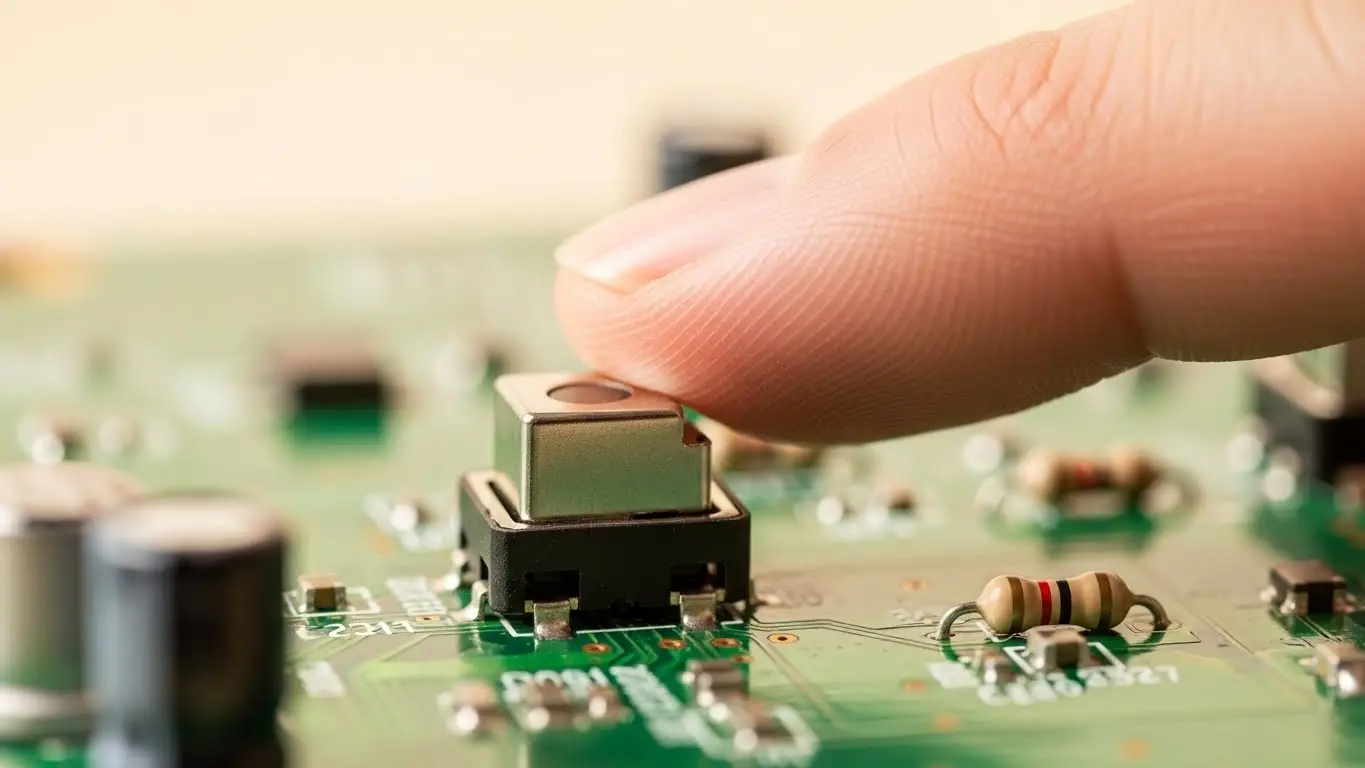
Decoding the Snap Ratio
I once consulted on a remote control project where the buttons worked perfectly electrically, but users hated them. The issue? The snap ratio was too low.
The snap ratio is the relationship between the actuation force (peak force) and the contact force. A higher ratio means a sharper click.
- 40-50% Snap Ratio: Crisp, audible click (Gaming controllers).
- 20-30% Snap Ratio: Soft, quiet press (Automotive dashboards or library-safe mice).
Testing samples is non-negotiable. You cannot judge "feel" from a datasheet alone.
Do Handheld Devices Require Waterproof Switches?
Yes, modern handheld consumer electronics increasingly require IP67 or IP68 rated switches to survive accidental spills, sweat, and outdoor elements. While not every device needs to be submersible, waterproofing protects internal contacts from oxidation and dust ingress, significantly extending the product's lifespan and reducing warranty returns.
The IP Rating Reality
If you are designing a fitness tracker or a portable GPS, moisture is your enemy. A standard switch allows humidity to enter the dome area. This causes corrosion. Once the contact oxidizes, the switch becomes intermittent.
For devices intended for rugged use, you must look beyond standard components. Learn more about sealing techniques in our article on Best Waterproof Tact Switches for Outdoor Electronics.
How Do Switches in Medical Handhelds Differ from Consumer Gadgets?
Medical handheld switches prioritize fail-safe reliability and specific actuation forces over cost-efficiency and miniaturization. While a consumer remote can tolerate a rare missed click, a handheld insulin pump cannot. Medical switches also require higher resistance to harsh cleaning chemicals and sterilization processes compared to standard consumer electronics.
The Regulatory Gap
Consumer electronics focus on mass producibility. Medical devices focus on IEC 60601 standards. The switches used in handheld diagnostic tools must feel different. They often use higher actuation forces to prevent accidental presses.
If you are bridging the gap between consumer health tech and professional medical gear, the component selection criteria change drastically. See our deep dive on Best Tactile Switches for Medical Electronics.
What is the Role of DIP Switches in Modern Handhelds?
DIP switches are rarely accessible to the end-user in modern handhelds but are vital during the prototyping and configuration phase. Engineers use them to manually set transmission codes, test different circuit paths, or configure region-specific settings on the PCB before the final firmware is locked in and the housing is sealed.
Behind the Scenes
You won't find a DIP switch on the outside of an iPhone. However, pop open a prototype of a smart home controller, and you will likely see them. They allow hardware engineers to bypass software controls during debugging.
For developers building the next generation of handhelds, understanding these configuration tools is key. Read more about their utility here: Best DIP Switches for Prototyping Boards.
How Do Handhelds Interface with Communication Modules?
Handheld devices use internal switches to trigger pairing modes on Bluetooth or Wi-Fi communication modules. These "bind" or "reset" buttons usually require a long-press action and high lifecycle durability, as they are critical for the device's connectivity to broader networks and IoT ecosystems.
The Connectivity Link
A smart handheld is useless if it cannot talk to the hub. The "Reset" button is the unsung hero of the IoT world. It is usually a sub-miniature tact switch buried in a pinhole.
When integrating these switches near RF antennas, you must also consider electromagnetic interference (EMI). Shielding becomes a factor. For a broader look at how switches interact with connectivity hardware, check out Best Switches for Communication Modules.
Furthermore, some advanced industrial handhelds now interface directly with wired networks for diagnostics. While rare in pure consumer gear, understanding the backbone of data transmission is useful. See our Industrial Ethernet Switch Guide for context on the networks these handhelds often analyze.
Comparison of Top Switch Materials for Handhelds
To help you make a quick decision, here is a breakdown of contact materials used in these switches.
| Material | Conductivity | Durability | Cost | Best Application |
| Silver Clad | High | Medium (prone to tarnish) | Low | General Consumer Electronics (Remotes, Toys) |
| Gold Flash | Medium | High (Corrosion resistant) | Medium | Wearables, Outdoor Gear, Low-current signals |
| Solid Gold | Medium | Extremely High | High | Medical Devices, Critical Safety Handhelds |
| Carbon | Low | High | Very Low | Gamepad membranes, Calculators |
Pro Tip: Always specify Gold Flash plating if your device operates at very low currents (logic level). Silver relies on a "wetting current" to punch through oxide layers. Without enough power, a silver switch might fail to register a press in a low-power IoT device.
Conclusion: Making the Right Click
Choosing the best switches for handheld consumer electronics is an art form that blends mechanical engineering with user psychology. You aren't just buying a component; you are engineering the "handshake" between your user and your technology.
Prioritize the tactile feel. Ensure the IP rating matches the environment. And never underestimate the importance of testing samples in the actual housing.
Frequently Asked Questions (FAQ)
The most common type is the tactile (tact) switch. Its low profile, distinct "click" feedback, and high reliability make it ideal for power, volume, and home buttons in compact devices where space is limited.
For standard consumer electronics like remotes, 100,000 to 300,000 cycles is standard. However, for high-intensity devices like gaming controllers or mice, switches should be rated for 1 million to 10 million cycles.
You should use gold-plated switches if the device is low-voltage/low-current (logic level) or used in corrosive environments (high humidity). Gold prevents oxidation, ensuring the signal registers reliable even with weak battery power.
Actuation force is the pressure required to "snap" the switch and make contact. Return force is the energy the switch exerts to push back up. A good balance ensures the button doesn't get stuck down (telegraphing).
No. If the device housing claims IP67/IP68 splash resistance, the switch itself (or the membrane sealing it) must also be rated. Moisture ingress at the switch level is a leading cause of device failure in "water-resistant" gadgets.
